What is Snappa?
Snappa is an online graphic design tool that helps people without design experience create images for social media, blogs, ads and email. It provides preset sizes, thousands of templates and a library of more than five million free stock photos and graphics. Snappa was founded in 2015 and is operated by Nosco Media Inc.
The tool is deliberately simple. Instead of trying to cover every format, Snappa focuses on fast web graphics. Paid plans add unlimited downloads, one-click background removal, custom fonts and the ability to post or schedule graphics through social accounts and Buffer. The Team plan adds shared access for up to five users.
Pricing is easy to follow. The free plan gives access to the full template and photo library but caps downloads at three a month. Pro removes that cap for one user and adds background removal, custom fonts and social integrations, while Team brings the same tools to five users. Teams needing more than five seats contact Snappa directly.
Snappa at a glance
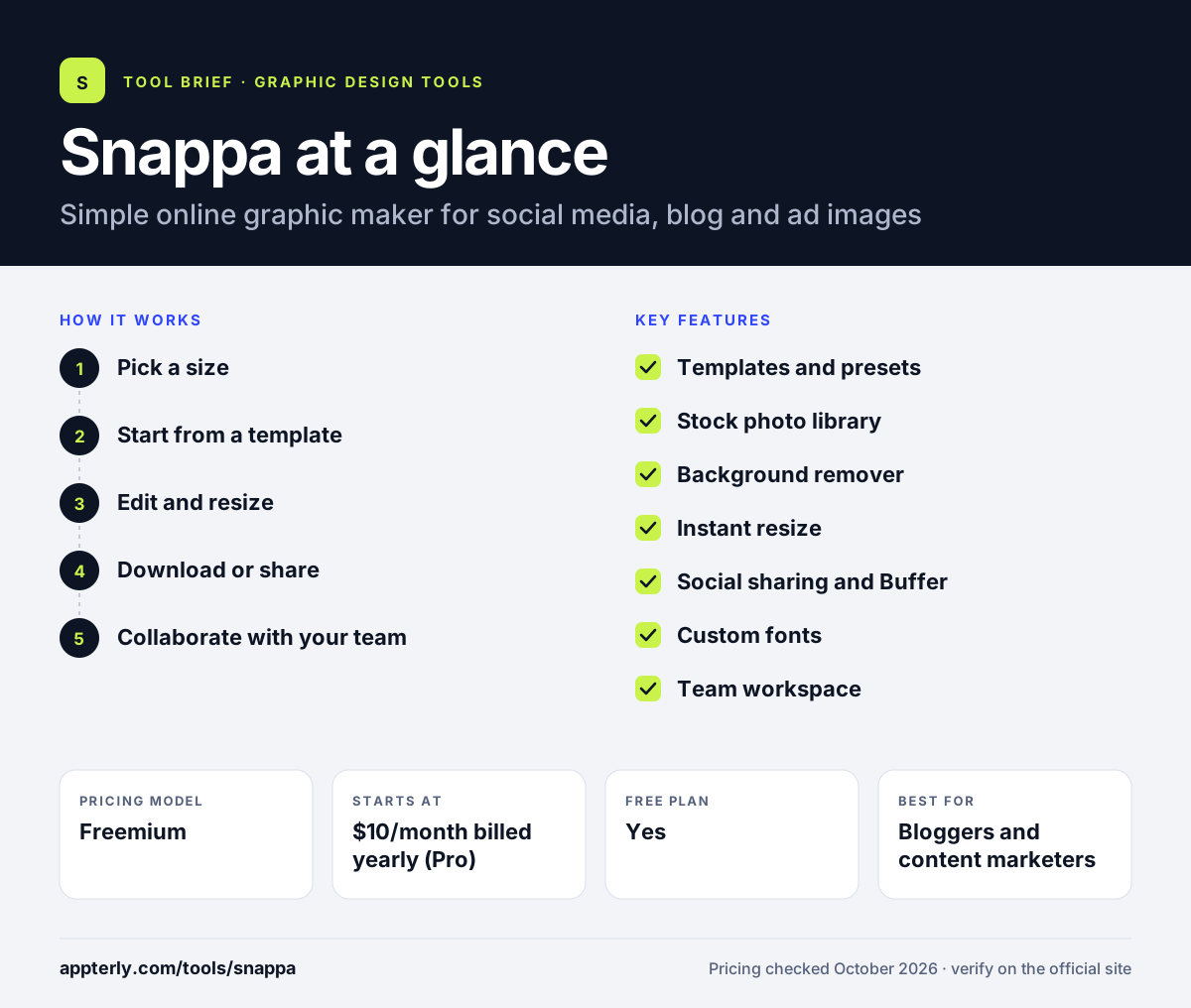
How does Snappa work?
- Pick a size
Choose a preset for a social post, blog header, ad or email, or enter custom dimensions.
- Start from a template
Select a template or blank canvas and add stock photos, text and graphics.
- Edit and resize
Remove backgrounds, upload fonts and resize the design for other platforms in one click.
- Download or share
Download the image or post and schedule it through connected social accounts or Buffer.
- Collaborate with your team
On the Team plan, up to five users can share designs, templates and assets in one workspace so everyone produces consistent graphics.
Snappa key features
Templates and presets
Thousands of templates and ready-made sizes for social media, ads, blogs and infographics.
Stock photo library
More than five million royalty-free photos and graphics licensed for commercial use.
Background remover
Remove image backgrounds with one click on paid plans.
Instant resize
Turn one design into other formats, such as a header into a cover image.
Social sharing and Buffer
Post to social networks or schedule through Buffer without leaving Snappa.
Custom fonts
Upload your own fonts on Pro and Team plans.
Team workspace
Share designs and collaborate with up to five users on the Team plan.
Why use Snappa?
- Very short learning curve for quick web graphics.
- Large free stock library cleared for commercial use.
- Flat, simple pricing with no credit systems.
- Buffer integration links design and scheduling.
- Every account starts on the free plan, so you can test the editor and templates before paying, and you can change plans at any time.
- Preset dimensions remove guesswork about image sizes for each social network and ad format.
Who is Snappa best for?
A good fit for
- Bloggers and content marketers
- Small businesses posting on social media
- Solo marketers making ad creatives
- Small teams of up to five people
- Agencies producing simple blog and social images for clients
Less suited to
- Print design, documents and presentations
- Users wanting built-in AI image generation
- Larger teams, which must contact Snappa beyond five users
Snappa pricing
| Pricing model | Freemium |
|---|---|
| Free plan | Yes |
| Free trial | Not confirmed |
| Starting price | $10/month billed yearly (Pro) |
Pro is $15 on monthly billing and adds unlimited downloads, social integrations, custom fonts and background removal. Team is $20/month yearly or $30 monthly for five users.
Prices checked October 2026. Vendors change plans often, so confirm on the official Snappa pricing page before you buy.
Snappa pros and cons
Pros
- Fast and easy for social graphics
- Commercial-use stock library included
- Simple, predictable pricing
- No credit card needed to start
Cons
- Free plan limited to 3 downloads a month
- Narrower feature set than larger design suites
- No mobile apps listed
Snappa integrations and platforms
Works with
Available on
Snappa alternatives
See the full shortlist in Best Graphic Design Tools for Marketers.
Snappa FAQ
Is Snappa free?
Yes. Snappa has a free plan with access to its templates and stock photos, but it allows only three downloads a month. No credit card is needed. Pro costs $10 a month billed yearly or $15 billed monthly and removes the download limit.
What is Snappa used for?
Snappa is used to create social media posts, blog images, display ads, email headers and simple infographics. Marketers and small businesses use Snappa because its presets, templates and stock library let them produce web graphics quickly without design training.
Snappa vs Canva: what's the difference?
Canva covers a much wider range of formats, including print, documents, video and presentations, plus AI features. Snappa is narrower and focuses on fast web and social graphics with a simple editor and flat pricing. Snappa can feel quicker for basic social images, while Canva offers more overall.
Does Snappa integrate with Buffer?
Yes. On Pro and Team plans you can connect a Buffer account to schedule graphics directly from Snappa. Paid plans also let you share designs to social networks such as Facebook and Twitter without downloading them first.
Can I use Snappa images commercially?
Snappa states that its stock photos are royalty-free and licensed for commercial use. That means you can use them in marketing graphics, ads and blog posts made in Snappa. Check Snappa's license terms for specific restrictions before using images in products for resale.
Sources
This overview is based on Snappa's official website and documentation, checked October 2026.