What is Adobe Express?
Adobe Express is an online design app for making social posts, flyers, logos, presentations and short videos from ready-made templates. It includes Adobe Firefly generative AI for creating images, text effects and whole templates from prompts. It is aimed at small businesses, marketers, creators and students who need on-brand content fast without professional design skills.
Adobe Express runs in the browser and on iOS and Android, with files that sync across devices. It bundles a video editor, quick actions such as background removal and resizing, a content scheduler for social channels, and brand kits on paid plans. It connects to Photoshop, Firefly and Creative Cloud, so teams can share assets with Adobe pro apps.
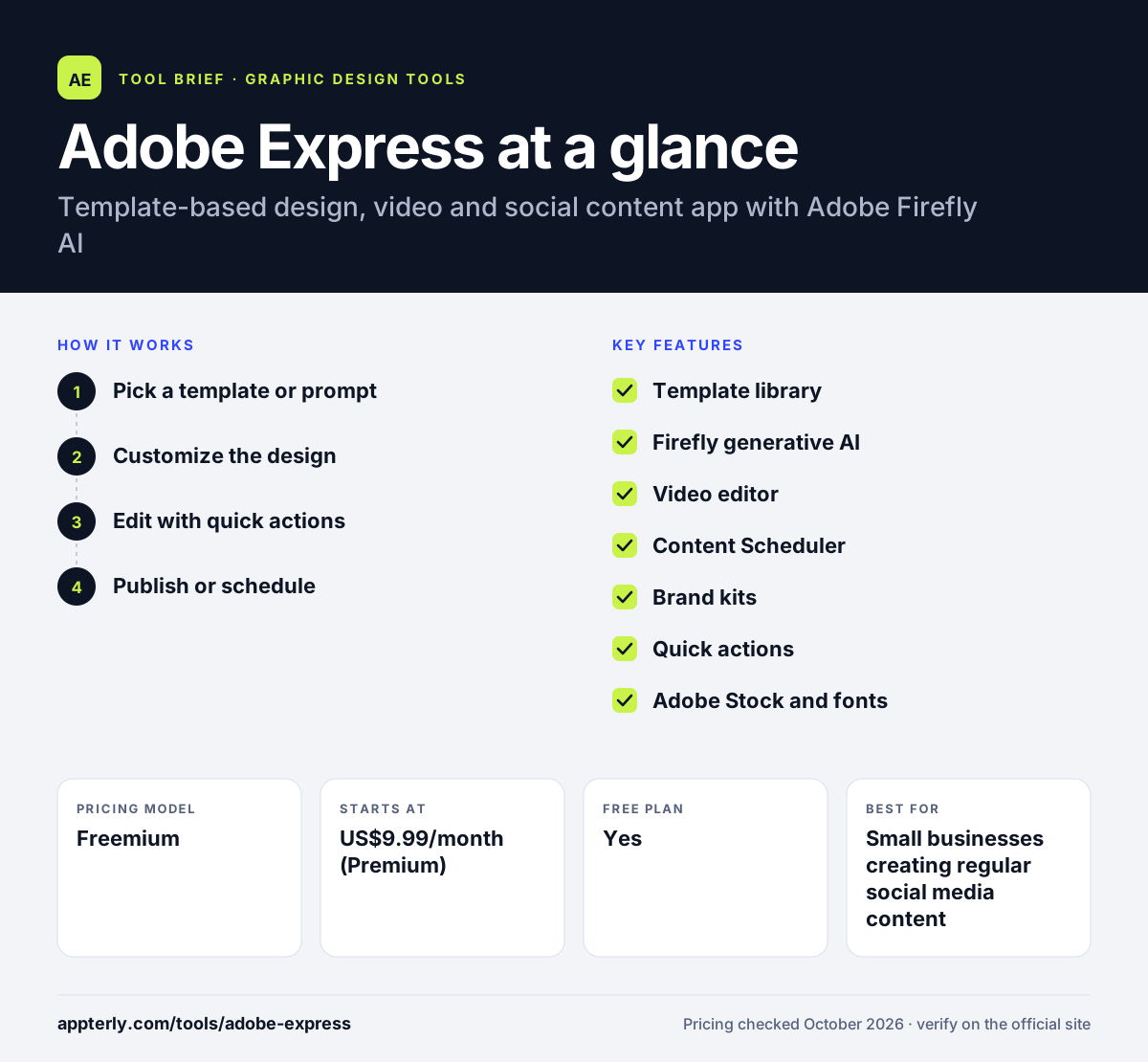
Adobe Express at a glance
How does Adobe Express work?
- Pick a template or prompt
Start from a template for your format, or describe what you want and let Firefly generate a starting design.
- Customize the design
Swap text, images, colors and fonts, or apply your brand kit on paid plans.
- Edit with quick actions
Remove backgrounds, resize for other channels, or trim and caption videos.
- Publish or schedule
Download, share a link, or schedule posts to social accounts with the Content Scheduler.
Adobe Express key features
Template library
Hundreds of thousands of templates for social, print, video and presentations. Templates are sized for each platform, so there is no need to set dimensions manually.
Firefly generative AI
Generates images, text effects and templates, with monthly generative credits on paid plans. Generated images can be placed straight into any template.
Video editor
Trims, merges, resizes and captions clips, with direct export to Vimeo. It suits quick reels, stories and promotional clips.
Content Scheduler
Plans and publishes posts to social networks from inside the app. Planning content inside the design tool removes a step from the workflow.
Brand kits
Stores brand fonts, colors and logos and can lock elements for teams. This helps keep teams and agencies consistent across many designs.
Quick actions
One-click tools for background removal, cropping, resizing and file conversion. These save time on everyday image tasks.
Adobe Stock and fonts
Access to large libraries of stock assets and fonts, expanded on Premium. This reduces the need for separate stock subscriptions.
Why use Adobe Express?
- A strong free plan covers basic social and print design.
- Firefly AI speeds up image and layout creation.
- Scheduling and resizing reduce the work of multichannel posting.
- Brand kits help teams keep content consistent.
- It connects to Photoshop and Creative Cloud for handoff to pro designers.
Who is Adobe Express best for?
A good fit for
- Small businesses creating regular social media content
- Marketers who need quick branded graphics, flyers and short videos
- Teams already paying for Adobe Creative Cloud
- Students and educators building presentations and class materials
Less suited to
- Professional designers who need full vector, photo or print layout control
- Heavy AI users on the free plan, which has limited daily generations
- Teams that rely on a wide range of third-party app integrations
Adobe Express pricing
| Pricing model | Freemium |
|---|---|
| Free plan | Yes |
| Free trial | 30 days (Premium) |
| Starting price | US$9.99/month (Premium) |
Premium adds premium templates, brand kits, resizing and 250 generative credits a month, while Firefly Pro costs US$19.99/month with 4,000 credits and Photoshop on web and mobile. Teams costs US$7.99 per license per month on an annual plan with a 2-seat minimum.
Prices checked October 2026. Vendors change plans often, so confirm on the official Adobe Express pricing page before you buy.
Adobe Express pros and cons
Pros
- A generous free plan with a large template and stock library
- Firefly generative AI built into the editor
- Social scheduling and one-click resizing included
- Works well with Photoshop, Firefly and Creative Cloud
Cons
- Brand kits and premium assets require a paid plan
- Monthly generative credits limit heavy AI use
- Fewer third-party integrations than some competitors
Adobe Express integrations and platforms
Works with
Available on
Adobe Express alternatives
See the full shortlist in Best Graphic Design Tools for Marketers.
Adobe Express FAQ
Is Adobe Express free?
Yes. Adobe Express has a free plan with a large template library, stock assets, thousands of fonts, standard editing tools, 5GB of storage and social scheduling for one account per network. Premium costs US$9.99 per month and comes with a 30-day free trial.
What is Adobe Express used for?
Adobe Express is used to create social media posts, flyers, logos, presentations and short videos from templates. Marketers and small businesses use its Firefly AI to generate images and layouts, its quick actions to edit photos, and its Content Scheduler to plan and publish social posts.
Is Adobe Express good for beginners?
Yes. Adobe Express is built for people without design training. You start from a template or a text prompt, change the text and images, and export. Quick actions like background removal and resizing take one click, and the same project syncs across browser and mobile.
Adobe Express vs Canva: what's the difference?
Both are template-based design tools for non-designers. Canva has a larger app marketplace and many collaboration features. Adobe Express includes Firefly generative AI, Adobe Stock assets and tight links to Photoshop and Creative Cloud. Teams already using Adobe tools often prefer Adobe Express.
Does Adobe Express work with Photoshop?
Yes. Adobe Express works with Photoshop and Firefly, so assets and brand content can move between apps. The Firefly Pro plan adds Photoshop on web and mobile, and Teams plans integrate with Creative Cloud for shared libraries.
Sources
This overview is based on Adobe Express's official website and documentation, checked October 2026.