What is Piktochart?
Piktochart is an online visual design platform for turning information into infographics, reports, presentations, social graphics and short videos. It is known for its infographic and chart makers, which help non-designers present data and ideas clearly. The tool runs in the browser and offers templates for common formats such as timelines, flowcharts, maps and pitch decks.
In recent years Piktochart has added Pikto AI Studio, a set of AI tools that generate images and icons, edit photos, and turn briefs or data into visuals. There are also AI makers for presentations and reports, plus a video editor and screen recorder. Teams can keep brand fonts, colors and logos in a shared brand assets hub and comment on each other's work.
Pricing is set per account member. The free plan suits trying the editor, while Pro unlocks unlimited PNG downloads, premium templates and 500 AI credits a month. Business adds PDF and PPT exports, a full brand kit and 1,000 AI credits, and Enterprise brings SSO, a dedicated account manager and onboarding training for larger organizations.
Piktochart at a glance
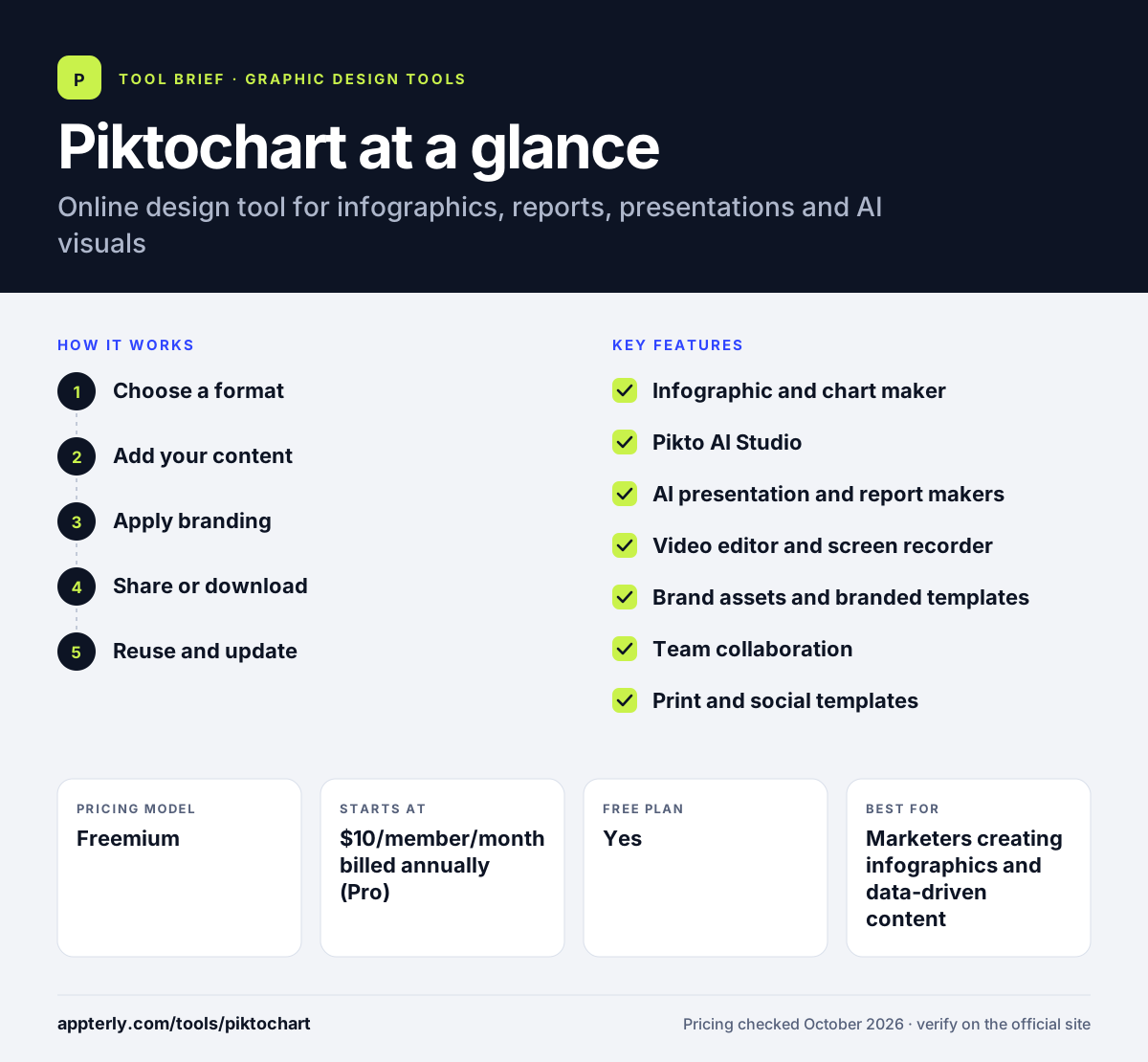
How does Piktochart work?
- Choose a format
Start from an infographic, report, presentation or social template, or describe what you need to an AI maker.
- Add your content
Paste text, import data into charts and add icons, illustrations and photos.
- Apply branding
Use saved brand colors, fonts and logos or branded templates on Business plans.
- Share or download
Collaborate with comments, then download as PNG, PDF or PPT depending on your plan.
- Reuse and update
Duplicate a finished project as a starting point for the next report or campaign, and keep branded templates so the whole team works from the same layouts.
Piktochart key features
Infographic and chart maker
Build infographics with graphs, diagrams, flowcharts, maps, timelines and tables.
Pikto AI Studio
Generate images and icons, upscale or restore photos, remove backgrounds and turn data into visuals.
AI presentation and report makers
Create first drafts of decks and reports from a prompt or brief.
Video editor and screen recorder
Trim and caption videos, record your screen and convert video to text.
Brand assets and branded templates
Store brand fonts, colors and logos and turn templates into on-brand versions.
Team collaboration
Shared libraries, comments and revision tools for teams.
Print and social templates
Flyers, posters, brochures, banners and social graphics sized for the major platforms.
Why use Piktochart?
- Focused tools for infographics and data visuals that general editors lack.
- AI makers speed up first drafts of reports and presentations.
- Pro is priced per member with a low annual rate.
- Discounts for nonprofits, educators and students.
- Covers documents, slides, social posts and video in one account.
- Large libraries of icons, illustrations and 3D graphics on Pro make it easy to explain ideas visually without stock photo hunting.
Who is Piktochart best for?
A good fit for
- Marketers creating infographics and data-driven content
- HR and internal communications teams
- Educators and students
- Nonprofits reporting on impact
- Small businesses creating flyers and social posts
Less suited to
- Free users who need many downloads, since the free plan allows only 2 PNG downloads
- Professional designers needing advanced vector or photo tools
- Teams that rely on many third-party integrations
Piktochart pricing
| Pricing model | Freemium |
|---|---|
| Free plan | Yes |
| Free trial | Not confirmed |
| Starting price | $10/member/month billed annually (Pro) |
Pro is $15/month on monthly billing. Business costs $17/month annually or $20 monthly and adds unlimited PDF and PPT downloads, a brand kit and 1,000 AI credits; Enterprise is custom.
Prices checked October 2026. Vendors change plans often, so confirm on the official Piktochart pricing page before you buy.
Piktochart pros and cons
Pros
- Strong infographic and chart templates
- Useful AI makers for reports and decks
- Affordable annual pricing with education and nonprofit discounts
Cons
- Free plan is very limited for downloads
- PDF and PPT exports require the Business plan
- No listed third-party integrations
Piktochart integrations and platforms
Available on
Piktochart alternatives
See the full shortlist in Best Graphic Design Tools for Marketers.
Piktochart FAQ
Is Piktochart free?
Yes. Piktochart has a free plan with unlimited visual projects, 60 AI credits, free templates and 1GB of storage, shareable with up to four members. It only allows two PNG downloads, though. Pro starts at $10 per member per month on annual billing.
What is Piktochart used for?
Piktochart is used to create infographics, reports, presentations, charts, social media graphics and short videos. Marketers, HR teams, educators and nonprofits use Piktochart to turn data and written information into visuals that are easier to read and share.
Is Piktochart good for beginners?
Yes. Piktochart is designed for people without design training. Templates provide the layout, and AI makers can produce a first draft of a report, presentation or infographic from a prompt. Most beginners can create a finished visual in one session.
Piktochart vs Canva: what's the difference?
Canva is a general design tool covering almost every type of graphic. Piktochart focuses on information design, with stronger infographic, chart and report tools and AI makers for data-driven visuals. Teams that mainly present data often prefer Piktochart, while Canva suits broader marketing design.
Does Piktochart offer discounts for education or nonprofits?
Yes. Piktochart lists Pro for nonprofits at $60 a year and for educators and students at $39.99 a year, subject to eligibility checks. Universities and colleges can also buy a campus-wide license through sales.
Sources
This overview is based on Piktochart's official website and documentation, checked October 2026.