What is Landingi?
Landingi is a landing page platform that helps marketers and agencies build, publish and optimize campaign pages without coding. It began in 2011 as a self-funded project, became a formal company in 2013 and lists headquarters in Gliwice, Poland and Dallas, USA. The tool covers the full path from page creation to testing, with plans that scale from a single marketer to large agencies.
Landingi includes a classic drag-and-drop builder plus an AI generator called Lunar that drafts pages from prompts. Higher plans add Solis AI insights, EventTracker for on-page events, Smart Sections for reusable blocks, multi-language personalization and server-side A/B testing. The Scale plan adds programmatic landing pages, client sub-accounts and agency branding, which suits agencies running many campaigns.
Landingi at a glance
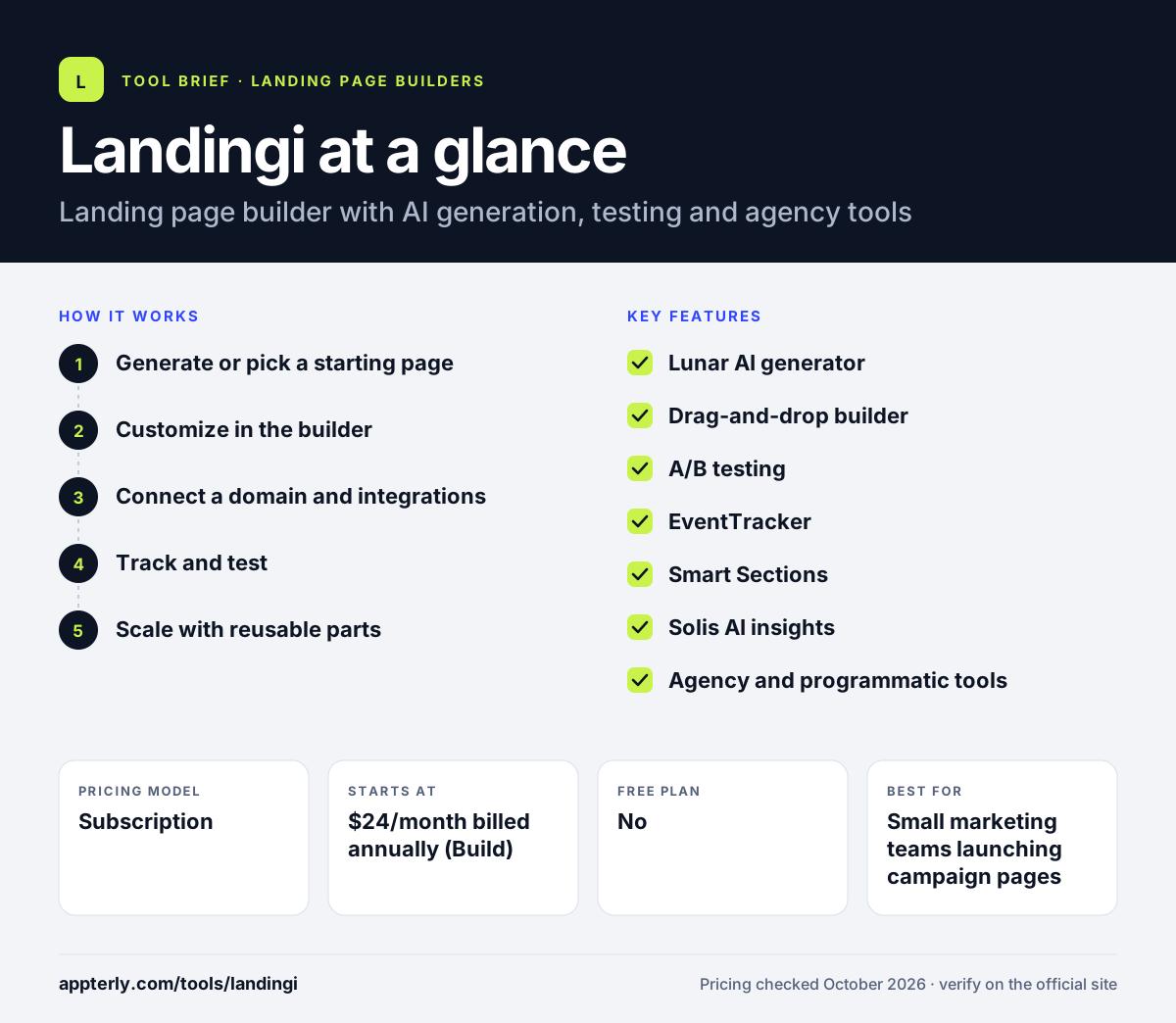
How does Landingi work?
- Generate or pick a starting page
Use the Lunar AI generator or choose a template and pre-designed sections.
- Customize in the builder
Edit layout, copy, forms and images, and apply brand settings across pages.
- Connect a domain and integrations
Publish on a custom domain and send leads to your CRM or email tool through integrations.
- Track and test
Use EventTracker to record clicks and actions, then run A/B tests on Optimize and above.
- Scale with reusable parts
Update Smart Sections once to change many pages, or create programmatic pages on Scale.
Landingi key features
Lunar AI generator
Creates landing page drafts from a prompt, available on every plan. Drafts can then be edited freely in the builder.
Drag-and-drop builder
A classic editor with templates, forms and pre-designed sections. It suits pages built from proven conversion layouts.
A/B testing
Server-side split testing from the Optimize plan upward. Tests split traffic between variants and report conversions for each.
EventTracker
Tracks clicks, form actions and other on-page events without extra setup, from Optimize. Event data appears in the dashboard next to conversion stats.
Smart Sections
Reusable page sections that update across every page where they appear. This keeps headers, offers and footers consistent across campaigns.
Solis AI insights
AI analysis that suggests page improvements, from Optimize. It highlights likely problems such as weak headlines or form friction.
Agency and programmatic tools
Client sub-accounts, agency branding and programmatic page creation on Scale. These features help agencies run many client campaigns from one account.
Why use Landingi?
- Landingi has a low entry price compared with many landing page builders.
- AI generation helps teams produce first drafts of pages quickly.
- Built-in event tracking and testing reduce the need for extra analytics tools.
- Agency features such as sub-accounts make client management easier.
- A 14-day trial includes full feature access.
- It also suits teams that want to grow from simple pages to programmatic campaigns on one platform.
Who is Landingi best for?
A good fit for
- Small marketing teams launching campaign pages
- Agencies managing landing pages for several clients
- Ecommerce and lead generation campaigns that need testing
- Teams that want many pages built from reusable sections
Less suited to
- People who need a free forever plan
- Businesses that need a full multi-page website with a blog
- High-traffic campaigns on the entry plan, which caps monthly visits
Landingi pricing
| Pricing model | Subscription |
|---|---|
| Free plan | No |
| Free trial | 14 days |
| Starting price | $24/month billed annually (Build) |
Build covers 10 pages and 2,000 visits per month. Optimize ($119/month) adds testing, EventTracker and Smart Sections, while Scale (from $229/month) and Enterprise add agency, programmatic and security features; annual billing gives two months free.
Prices checked October 2026. Vendors change plans often, so confirm on the official Landingi pricing page before you buy.
Landingi pros and cons
Pros
- Affordable entry plan
- AI page generation on every plan
- Strong agency and scaling features
- Event tracking built in
Cons
- No free plan
- A/B testing starts on the higher Optimize plan
- Entry plan has tight page and visit limits
Landingi integrations and platforms
Available on
Landingi alternatives
See the full shortlist in Best Landing Page Builders.
Landingi FAQ
Is Landingi free?
No. Landingi does not offer a free plan. It provides a 14-day free trial with full feature access, limited to 200 visits. After the trial, the Build plan starts at $24 per month billed annually. Annual billing gives two months free compared with paying monthly. Monthly billing costs more than the annual rate, so teams that plan to stay usually choose yearly billing.
What is Landingi used for?
Landingi is used to build and optimize landing pages for ad campaigns, lead generation, product launches and webinars. Marketers use it to publish pages on custom domains, collect leads into their CRM, track on-page events and test variants to improve conversion rates. Agencies also use it to manage separate client accounts under one subscription on the Scale plan.
Is Landingi good for beginners?
Yes. Landingi is approachable for beginners because the Lunar AI generator and templates provide a ready starting point, and the drag-and-drop builder does not need code. More advanced features like Smart Sections and programmatic pages take extra time but are optional. Landingi also offers pre-designed sections, which help newcomers build pages that follow proven layouts.
Landingi vs Unbounce: what's the difference?
Both build and test landing pages. Landingi has a lower entry price and adds agency features such as sub-accounts and programmatic pages on higher tiers. Unbounce is known for its AI traffic routing and established brand. Budget-conscious teams and agencies often compare Landingi first. The right choice usually depends on traffic volume, the number of client accounts and the testing features you need.
Does Landingi support A/B testing?
Yes, on the Optimize plan and above. Landingi runs server-side A/B tests so you can compare page variants and keep the one that converts best. The entry Build plan does not list A/B testing, so teams that need testing from day one should start on Optimize. Pair testing with EventTracker data to understand why one variant performs better than another.
Sources
This overview is based on Landingi's official website and documentation, checked October 2026.