What is Elementor?
Elementor is a visual drag-and-drop page builder for WordPress that lets users design pages, landing pages, popups and full site templates without writing code. It installs as a plugin and replaces the standard editing experience with a live canvas. Elementor says it powers more than 22 million sites, making it one of the most widely used design tools in the WordPress ecosystem.
The free plugin covers core widgets, while Elementor Pro adds the Theme Builder, Form Builder, Elementor Popups, WooCommerce widgets and custom code. Elementor One bundles Pro with AI generation, image optimization, accessibility, cookie consent and email deliverability tools, paid through monthly credits. Elementor also sells managed WordPress hosting separately.
Elementor at a glance
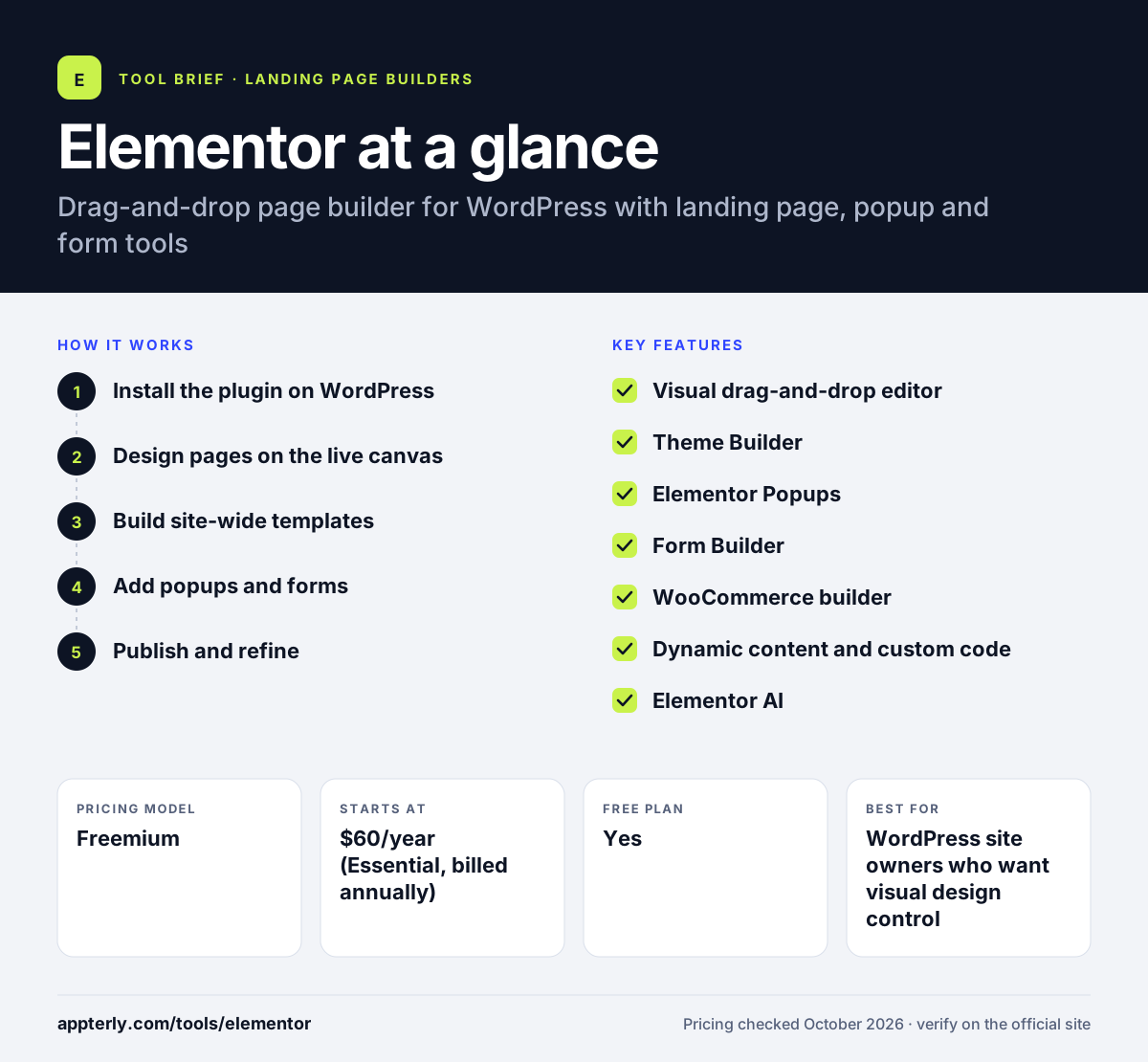
How does Elementor work?
- Install the plugin on WordPress
Add the free Elementor plugin to a WordPress site, and upload Elementor Pro if you buy a paid plan.
- Design pages on the live canvas
Drag widgets such as headings, images, buttons and forms into containers and see changes in real time.
- Build site-wide templates
Use the Theme Builder to design headers, footers, blog templates and product pages once and apply them everywhere.
- Add popups and forms
Create popups with display rules and targeting, and connect forms to your email or CRM tools.
- Publish and refine
Publish pages, adjust responsive layouts for mobile and update templates as needs change.
Elementor key features
Visual drag-and-drop editor
A live editing canvas with free widgets, plus 85 Pro widgets on higher plans. Responsive controls let you adjust layouts for tablets and phones.
Theme Builder
Design headers, footers, archives and single-post templates without touching theme code. Templates apply automatically based on conditions you set.
Elementor Popups
The Popup Builder creates lead capture and promotional popups with display rules, available from the Advanced Solo plan upward.
Form Builder
Build contact and lead forms that collect submissions and connect to marketing tools. Submissions can be stored or sent to connected marketing tools.
WooCommerce builder
More than 20 WooCommerce widgets for cart, checkout, product and account pages on Advanced Solo and higher. These widgets replace default WooCommerce layouts.
Dynamic content and custom code
Pull in custom fields and add custom CSS and code for advanced designs. This helps build listing pages and custom post designs.
Elementor AI
AI-generated layouts, copy, images and code are included in Elementor One plans and use monthly credits. AI actions use 1 to 40 credits depending on the task.
Why use Elementor?
- Elementor lets marketers build landing pages on WordPress without waiting for a developer.
- One plugin covers pages, popups, forms and site templates, which reduces plugin sprawl.
- The free version is useful on its own for simple pages.
- Pro plans are inexpensive compared with standalone landing page tools.
- A 30-day money-back guarantee covers annual plans.
Who is Elementor best for?
A good fit for
- WordPress site owners who want visual design control
- Freelancers and agencies building client sites on WordPress
- Marketers who need landing pages and popups on an existing WordPress site
- WooCommerce stores that want custom product and checkout pages
Less suited to
- Anyone not using WordPress, since it only works as a WordPress plugin
- Teams that want built-in A/B testing like dedicated landing page platforms
- Sites where page speed must be squeezed to the minimum
Elementor pricing
| Pricing model | Freemium |
|---|---|
| Free plan | Yes |
| Free trial | Not confirmed |
| Starting price | $60/year (Essential, billed annually) |
Pro plans are Essential ($60/year, 1 site), Advanced Solo ($84/year), Advanced ($108/year, 3 sites) and Expert ($204/year, 25 sites). The Popup Builder and WooCommerce widgets start at Advanced Solo, and Elementor One lists at $19/month billed annually.
Prices checked October 2026. Vendors change plans often, so confirm on the official Elementor pricing page before you buy.
Elementor pros and cons
Pros
- Free version available
- Pages, popups, forms and templates in one plugin
- Low annual cost for Pro
- Huge community and template library
Cons
- Works only with WordPress
- Essential plan lacks popups and WooCommerce widgets
- AI features require the pricier Elementor One plan
Elementor integrations and platforms
Works with
Available on
Elementor alternatives
See the full shortlist in Best Landing Page Builders.
Elementor FAQ
Is Elementor free?
Yes. Elementor has a free WordPress plugin with essential drag-and-drop widgets such as headings, images, buttons and tabs. Advanced features like the Theme Builder, Popup Builder, form submissions and WooCommerce widgets require Elementor Pro, which starts at $60 per year for one site on the Essential plan.
What is Elementor used for?
Elementor is used to design WordPress pages visually. Common uses include landing pages, home pages, blog templates, headers and footers, lead capture popups and forms, and custom WooCommerce product and checkout pages. It lets non-developers control layout and design directly on the page.
Is Elementor good for beginners?
Yes. Elementor is popular with beginners because the live drag-and-drop editor shows changes instantly and many templates are available. You still need a WordPress site and basic WordPress knowledge. Advanced features such as dynamic content and theme templates take longer to learn.
Elementor vs Webflow: what's the difference?
Elementor is a plugin that adds visual design to WordPress, so you keep WordPress hosting, plugins and content tools. Webflow is a standalone hosted platform with its own designer, CMS and hosting. Elementor suits people already invested in WordPress, while Webflow suits teams that want design, CMS and hosting from one vendor.
Can Elementor make popups?
Yes. Elementor Popups are built with the Popup Builder, which is included in Advanced Solo and higher Pro plans and in Elementor One, but not in Essential. You design popups on the same visual canvas as your pages and set rules for when and where they appear, which makes them useful for lead capture and promotions.
Sources
This overview is based on Elementor's official website and documentation, checked October 2026.