What is Elastic Email?
Elastic Email is an email delivery and marketing platform that offers an Email API and SMTP relay for developers alongside campaign tools for marketers. Businesses use it to send transactional messages from their apps and to run newsletters, automations and landing pages. The team has been working on email since 2010 and builds its own sending infrastructure, which supports its focus on keeping costs low as volume grows.
The product is split into two main plan families, Email API and Email Marketing, each with Free, Starter and Pro tiers. The API side covers SMTP relay, an email designer, suppression lists, email verification and analytics, with inbound processing, webhooks and sub-accounts on Pro. The marketing side adds a campaign creator, landing pages, sign-up forms, an AI template designer, automations and paid newsletters.
Elastic Email at a glance
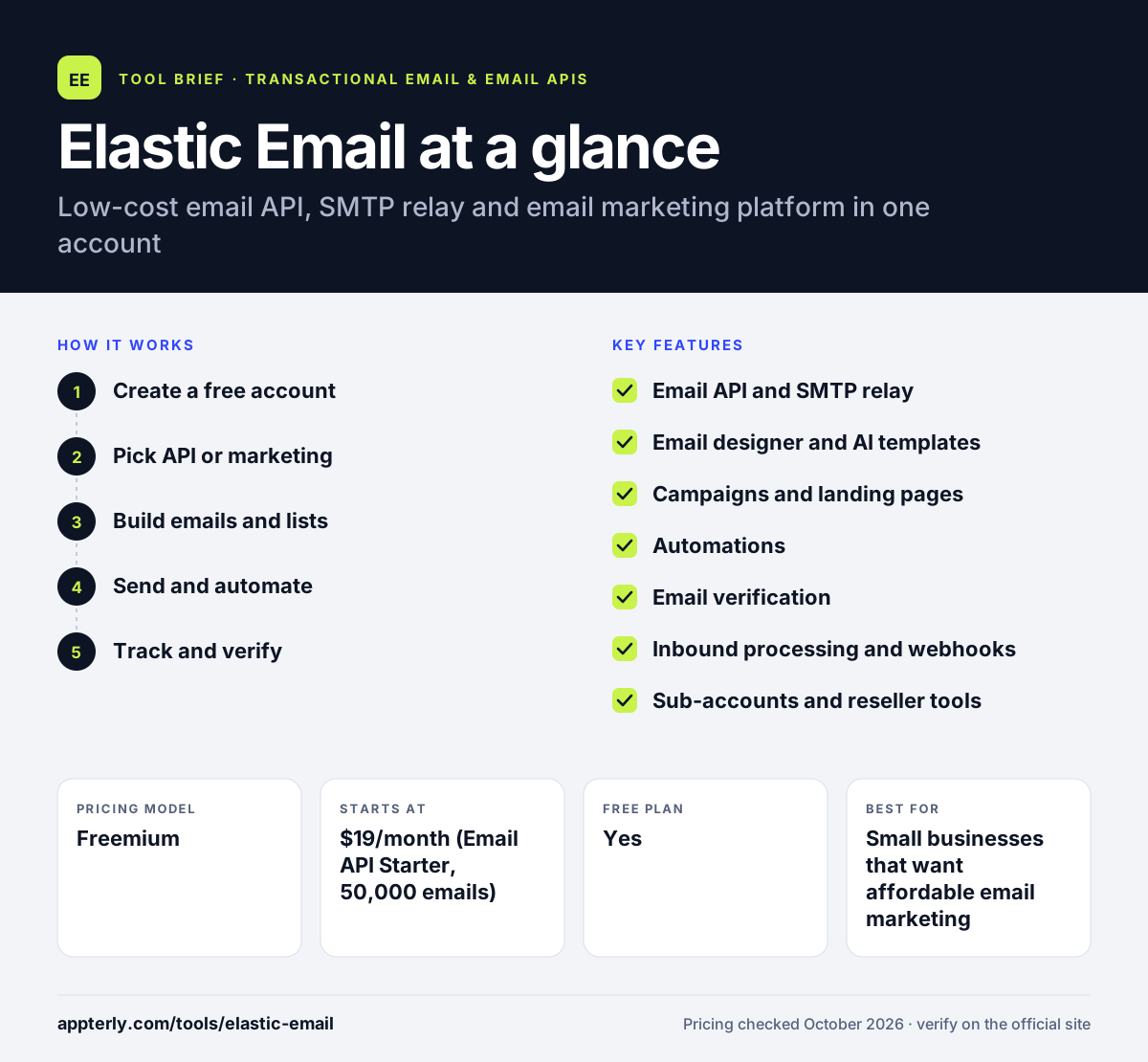
How does Elastic Email work?
- Create a free account
Sign up and verify your sending domain so messages are authenticated.
- Pick API or marketing
Developers connect through the Email API or SMTP relay, while marketers use the campaign tools.
- Build emails and lists
Design templates with the editor or AI template designer, import contacts and set up sign-up forms.
- Send and automate
Send campaigns or transactional messages, and add automated flows on the Pro plan.
- Track and verify
Monitor delivery and engagement analytics and clean lists with email verification.
Elastic Email key features
Email API and SMTP relay
Send transactional email from applications through a REST API or standard SMTP.
Email designer and AI templates
Build templates by hand or generate a starting design from a short prompt.
Campaigns and landing pages
Create newsletters, landing pages, sign-up forms and a link-in-bio page.
Automations
Set up automated email flows, with unlimited automations on the marketing Pro plan.
Email verification
Check single addresses or bulk lists to reduce bounces.
Inbound processing and webhooks
Receive and parse incoming email and push events to your app on Pro plans.
Sub-accounts and reseller tools
Manage multiple clients or brands, which suits agencies and resellers.
Why use Elastic Email?
- Paid plans start at low monthly prices compared with many email services.
- One account covers both transactional sending and marketing campaigns.
- A free tier lets you test sending before you pay.
- Plans can upgrade automatically when you exceed limits, so sending does not stop.
- Reseller and sub-account features help agencies manage several clients.
Who is Elastic Email best for?
A good fit for
- Small businesses that want affordable email marketing
- Developers sending transactional email on a budget
- Agencies and resellers managing multiple accounts
- Teams that want API and campaign tools under one login
Less suited to
- Senders who need a generous free plan, since the free tier is limited
- Ecommerce brands that need deep product and order automation
- Teams that need SMS and multichannel marketing in one tool
Elastic Email pricing
| Pricing model | Freemium |
|---|---|
| Free plan | Yes |
| Free trial | Not confirmed |
| Starting price | $19/month (Email API Starter, 50,000 emails) |
Email API plans run from Free to Starter and Pro at $49/month, while Email Marketing plans start at $29/month for 2,500 contacts. Prices rise with email volume or contact count, and private IPs are paid add-ons.
Prices checked October 2026. Vendors change plans often, so confirm on the official Elastic Email pricing page before you buy.
Elastic Email pros and cons
Pros
- Low prices for both API and marketing plans
- Transactional and marketing email in one platform
- Built-in email verification
- Agency and reseller features
Cons
- Free tier is limited to small daily volumes
- Key features such as webhooks and automations need Pro
- Interface covers many products, which can feel busy
Elastic Email integrations and platforms
Works with
Available on
Elastic Email alternatives
See the full shortlist in Best Transactional Email Services.
Elastic Email FAQ
Is Elastic Email free?
Elastic Email has a free plan that allows up to 3,000 emails per month and 1,000 contacts, with sending capped at about 100 emails per day. It includes basic Starter features so you can test the platform. Paid Email API plans start at $19 per month, and Email Marketing plans start at $29 per month.
What is Elastic Email used for?
Elastic Email is used to send transactional email from applications through its API or SMTP relay and to run email marketing campaigns. Businesses design newsletters, build landing pages and forms, verify lists, automate flows and track results. Agencies also use Elastic Email's sub-accounts and reseller features to manage clients.
Elastic Email vs Mailgun: what's the difference?
Both offer email APIs and SMTP relay for developers. Elastic Email also includes a full marketing toolkit with campaigns, landing pages and automations, and its entry prices are lower. Mailgun focuses more on developer sending, deliverability and validation tools, with longer log retention and dedicated IP options on higher plans.
Does Elastic Email integrate with Shopify?
Yes. Elastic Email lists Shopify among its ready-made integrations, along with WordPress, WooCommerce, HubSpot, Make, PayPal, ClickUp and Mautic. For other systems, Elastic Email offers its API and SMTP relay so developers can connect custom applications and stores.
Is Elastic Email good for beginners?
Elastic Email is usable for beginners on the marketing side, where the campaign creator, sign-up forms and AI template designer need no code. The Email API and SMTP relay are aimed at developers. Because the platform covers many products, new users may need some time to find their way around the dashboard.
Sources
This overview is based on Elastic Email's official website and documentation, checked October 2026.