What is Freepik AI?
Freepik AI is an all-in-one AI creative suite for generating and editing images, video, audio and 3D content, now sold under the Magnific name. It grew out of Freepik, the stock image site founded in Málaga, Spain in 2010. In April 2026 the company rebranded as Magnific, and existing accounts, credits and projects carried over to the new platform.
The suite gives one subscription access to many AI models, including its own Mystic and Magnific One models plus Google Nano Banana and Veo, Flux, GPT Image, Seedream, Kling, Ideogram and ElevenLabs. Spaces provides an infinite canvas for chaining models together, and the well-known Magnific upscaler is built in. Stock photos, vectors, mockups and templates remain available alongside the AI tools.
Freepik AI at a glance
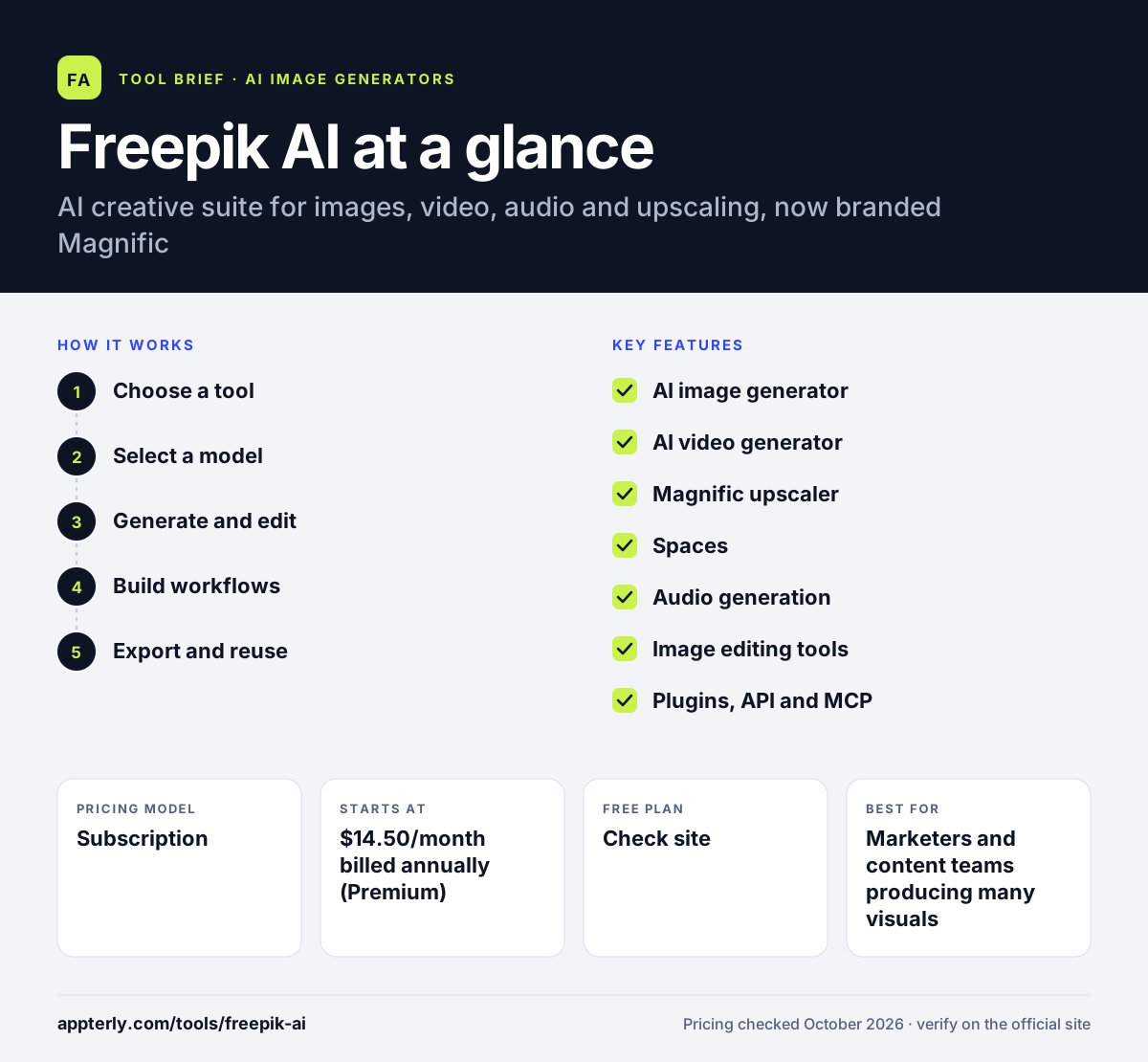
How does Freepik AI work?
- Choose a tool
Open the image generator, video generator, upscaler, audio tools or a Space.
- Select a model
Pick from Magnific's own models or partner models from Google, OpenAI, Black Forest Labs and others.
- Generate and edit
Prompt for new content, then retouch, relight, extend, upscale or remove backgrounds.
- Build workflows
Chain steps in Spaces or let Agents run tasks from a brief, using credits from your plan.
- Export and reuse
Download finished assets with the included commercial license, or send them to Photoshop, Premiere or Figma through plugins for final edits.
Freepik AI key features
AI image generator
Create images with Mystic, Magnific One and many partner models.
AI video generator
Produce clips with models such as Kling, Veo, Seedance, Hailuo and Wan, plus a video editor.
Magnific upscaler
Upscale and add detail to images and videos, with Topaz upscalers on higher plans.
Spaces
An infinite canvas for connecting models into repeatable creative workflows.
Audio generation
Text to speech, music and sound effects.
Image editing tools
Background remover, image extender, relight, change camera and custom characters.
Plugins, API and MCP
Use the suite in Photoshop, Premiere and Figma, through an API or from AI assistants.
Stock content
Photos, vectors, videos, templates, mockups and fonts from the original Freepik library.
Why use Freepik AI?
- Dozens of leading AI models under one subscription.
- Unlimited use of select models on paid plans.
- Commercial license included on every plan.
- Combines AI generation with a large stock library.
- Annual credits are valid for a full year instead of resetting monthly, which suits teams with uneven workloads.
- Security standards such as SOC 2 Type II and GDPR compliance help business buyers pass vendor reviews.
Who is Freepik AI best for?
A good fit for
- Marketers and content teams producing many visuals
- Designers who want to compare several AI models
- Agencies creating images and video for clients
- Creators who also use stock assets
- Businesses that need team credits and admin controls through Magnific Business
Less suited to
- Users who want a simple template-based design editor
- Very light users who only need a few images a month
Freepik AI pricing
| Pricing model | Subscription |
|---|---|
| Free plan | Not confirmed |
| Free trial | Not confirmed |
| Starting price | $14.50/month billed annually (Premium) |
Premium is $20 on monthly billing. Premium+ ($33.75/month annually) adds unlimited generations on select models and a music license, and Pro Starter ($82.50/month annually) raises credits. Annual credits last one year.
Prices checked October 2026. Vendors change plans often, so confirm on the official Freepik AI pricing page before you buy.
Freepik AI pros and cons
Pros
- Huge choice of image and video models
- Built-in Magnific upscaler
- Commercial license on all plans
- Stock library included
Cons
- Recent rebrand can cause confusion
- Credit system takes time to understand
- Free plan details are not listed on the pricing page
Freepik AI integrations and platforms
Works with
Available on
Freepik AI alternatives
See the full shortlist in Best AI Image Generators.
Freepik AI FAQ
Is Freepik AI now Magnific?
Yes. Freepik rebranded as Magnific on April 28, 2026, and Freepik AI became Magnific AI. Freepik.com now redirects to magnific.com, and existing accounts, credits and projects carried over. The original Magnific upscaler, which Freepik acquired in 2024, is now part of the platform.
Is Freepik AI free?
The pricing page mentions a free option but does not list its limits. Paid plans start with Premium at $14.50 a month billed annually or $20 billed monthly, which includes unlimited use of select models such as Nano Banana and access to more than 30 models.
What is Freepik AI used for?
Freepik AI is used to generate and edit images, create AI videos, upscale photos, produce voiceovers, music and sound effects, and build multi-step creative workflows in Spaces. Marketers and designers use Freepik AI to produce campaign visuals with many models in one place.
Freepik AI vs Midjourney: what's the difference?
Midjourney offers its own image and video models in a single app. Freepik AI, now Magnific, bundles many third-party models with its own, adds video, audio and upscaling tools, and includes a stock library. Midjourney suits users who like its style, while Freepik AI suits teams wanting model choice.
Can I use Freepik AI images commercially?
Magnific states that a commercial license is included on every plan. The Premium+ plan adds a commercial AI license that also covers music rights. Review the license terms for each model and use case before relying on generated assets in paid campaigns.
Sources
This overview is based on Freepik AI's official website and documentation, checked October 2026.