What is Descript?
Descript is an AI video and audio editor that turns your recording into a transcript, so you can cut and rearrange footage by editing text instead of slicing a timeline. Podcasters, YouTubers, course creators and marketing teams use it to record, clean up and publish spoken content quickly. A traditional timeline is still there when you need precise control over cuts, music or b-roll.
Beyond text editing, Descript bundles an AI co-editor called Underlord, one-click Studio Sound for noise removal, filler word removal, eye contact correction, green screen and automatic multicam. It also handles screen and remote recording, captions, translation and dubbing, plus a clip tool that pulls short social videos out of long episodes. That makes it a single tool for editing, podcasting and video repurposing.
Descript at a glance
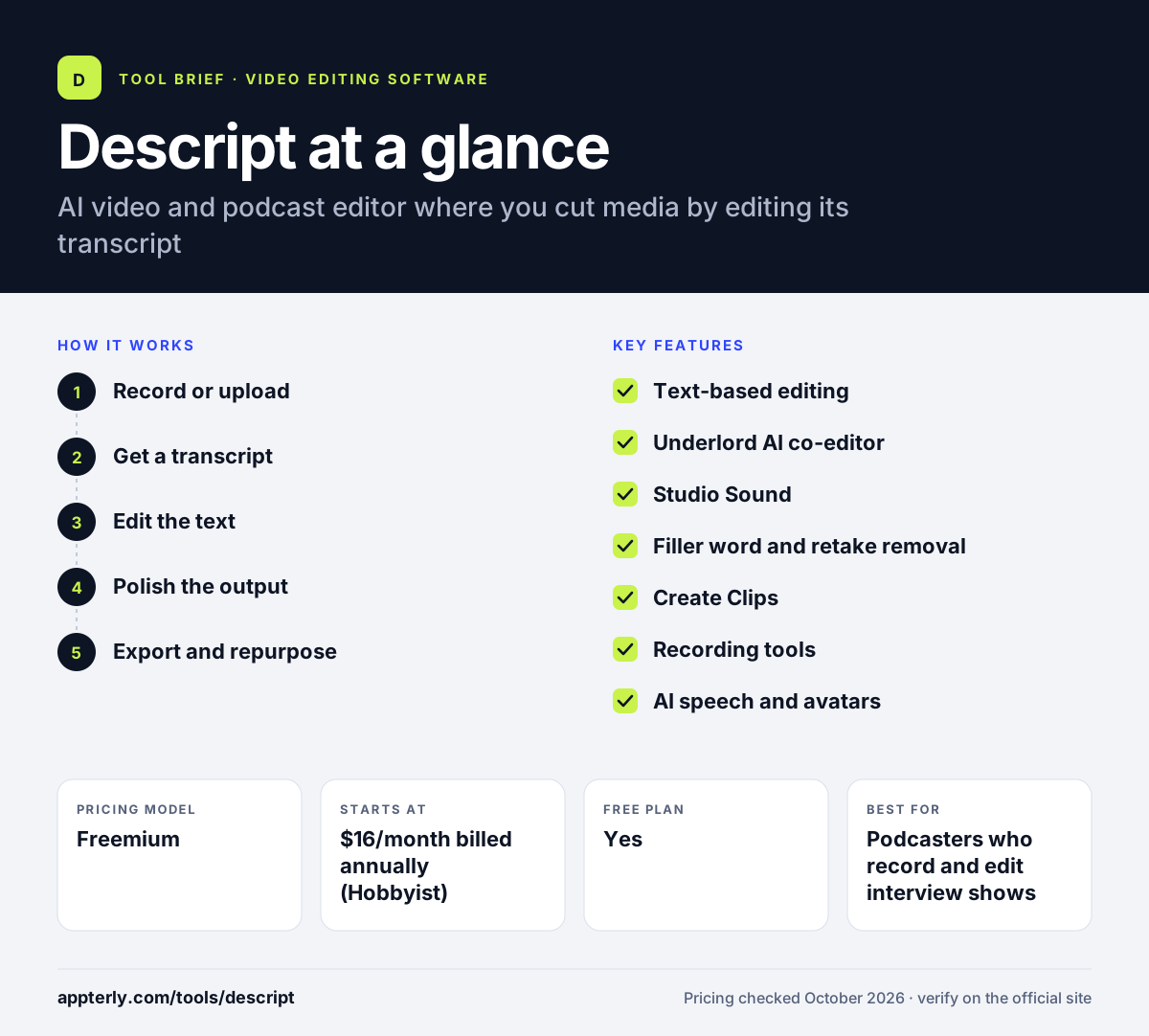
How does Descript work?
- Record or upload
Record your screen, camera or remote guests inside Descript, or import existing audio and video files.
- Get a transcript
Descript transcribes the media automatically, and every word stays linked to its moment in the recording.
- Edit the text
Delete words, sentences or retakes in the transcript to cut the matching video, or ask Underlord to tighten the edit.
- Polish the output
Apply Studio Sound, captions, layouts and stock media, then fine-tune timing on the timeline if needed.
- Export and repurpose
Publish the full video or episode and use Create Clips to turn it into short vertical clips for social.
Descript key features
Text-based editing
Edit audio and video by editing the transcript, which makes rough cuts as fast as editing a document.
Underlord AI co-editor
An AI assistant that can take a raw recording and produce a tighter cut, plus help with scripts, titles and descriptions.
Studio Sound
Removes background noise and room echo and evens out voice quality in one click.
Filler word and retake removal
Finds ums, uhs, long gaps and repeated takes so you can remove them in bulk.
Create Clips
Pulls highlight moments from long videos or podcasts and formats them for YouTube Shorts, TikTok and LinkedIn.
Recording tools
Built-in screen recording and remote recording for interviews and podcast guests.
AI speech and avatars
Text-to-speech, voice clones and regenerated audio let you fix lines without re-recording; higher tiers add custom avatars.
Translation and dubbing
Translates captions and dubs videos into other languages, with proofreading on the Business plan.
Why use Descript?
- Editing by transcript makes first cuts much faster for interview, talking-head and podcast content.
- Studio Sound can make home or office recordings sound cleaner without separate audio software.
- One long recording can be turned into several short clips for social channels in the same project.
- Recording, editing, captioning and publishing all happen in one tool instead of three or four.
- Teams can share projects and brand assets on the Creator and Business plans.
Who is Descript best for?
A good fit for
- Podcasters who record and edit interview shows
- YouTubers and course creators making talking-head videos
- Marketing teams repurposing webinars into social clips
- Solo creators who are not trained video editors
Less suited to
- Editors who need advanced color grading and visual effects work
- Projects built mainly from music, b-roll or footage without speech
- Heavy users on the Free plan, which limits media hours and adds a watermark
Descript pricing
| Pricing model | Freemium |
|---|---|
| Free plan | Yes |
| Free trial | Not confirmed |
| Starting price | $16/month billed annually (Hobbyist) |
Paid tiers (Hobbyist, Creator, Business) raise media hours, AI credits, export resolution and seats; Enterprise is custom priced. Annual billing saves up to 35% versus monthly.
Prices checked October 2026. Vendors change plans often, so confirm on the official Descript pricing page before you buy.
Descript pros and cons
Pros
- Transcript editing is intuitive for non-editors
- Strong audio cleanup with Studio Sound
- Covers recording, editing and clip creation in one place
- Free plan to try the core workflow
Cons
- Free exports are watermarked and capped at 720p
- AI credits and media hours can run out on lower tiers
- Less suited to complex visual or cinematic edits
Descript integrations and platforms
Works with
Available on
Descript alternatives
See the full shortlist in Best Video Editing Software for Marketers.
Descript FAQ
Is Descript free?
Yes, Descript has a free plan with no credit card required. It includes 60 media minutes a month, 100 one-time AI credits, 5GB of storage and 720p exports with a watermark. Paid plans start at $16 per month on annual billing and remove the watermark, raise export quality and add more AI credits and media hours.
What is Descript used for?
Descript is used to record, edit and publish spoken video and audio, such as podcasts, YouTube videos, tutorials, webinars and interviews. Its main draw is editing by transcript, where deleting text removes the matching footage. Many teams also use it to cut long recordings into short clips for social media.
Is Descript good for beginners?
Descript is one of the easier editors for beginners because most edits happen in a transcript that works like a document. You can remove filler words, clean audio and add captions without timeline skills. Beginners may still need time to learn layouts, scenes and the timeline for more detailed edits.
Descript vs Premiere Pro: what's the difference?
Descript focuses on speech-driven content and lets you edit through the transcript with AI helpers like Underlord and Studio Sound. Adobe Premiere Pro is a full professional timeline editor with deeper color, effects and multicam tools. Descript is faster for podcasts and talking-head videos, while Premiere Pro suits complex productions. Descript can also export timelines to Premiere.
Does Descript have AI voice cloning?
Yes, Descript includes AI speech features, including text-to-speech, regenerated audio and custom voice clones. These let you fix or add a line by typing instead of re-recording. Access depends on your plan and AI credit balance, and the Business plan adds custom avatars and more natural AI speakers.
Sources
This overview is based on Descript's official website and documentation, checked October 2026.