What is DaVinci Resolve?
DaVinci Resolve is a professional video editing application from Blackmagic Design that combines editing, color correction, visual effects, motion graphics and audio post-production in one program. It is famous for its color grading tools and is used on films, TV shows, commercials and YouTube channels. A powerful free version is available for Windows, macOS and Linux.
DaVinci Resolve 21 is organized into pages: Media, Cut, Edit, Fusion for effects, Color, Fairlight for audio, Deliver for export, and a new Photo page for still images. The paid DaVinci Resolve Studio adds the AI-driven DaVinci Neural Engine, extra effects, higher frame rates and resolutions, and advanced HDR and immersive audio tools, for a one-time price.
DaVinci Resolve at a glance
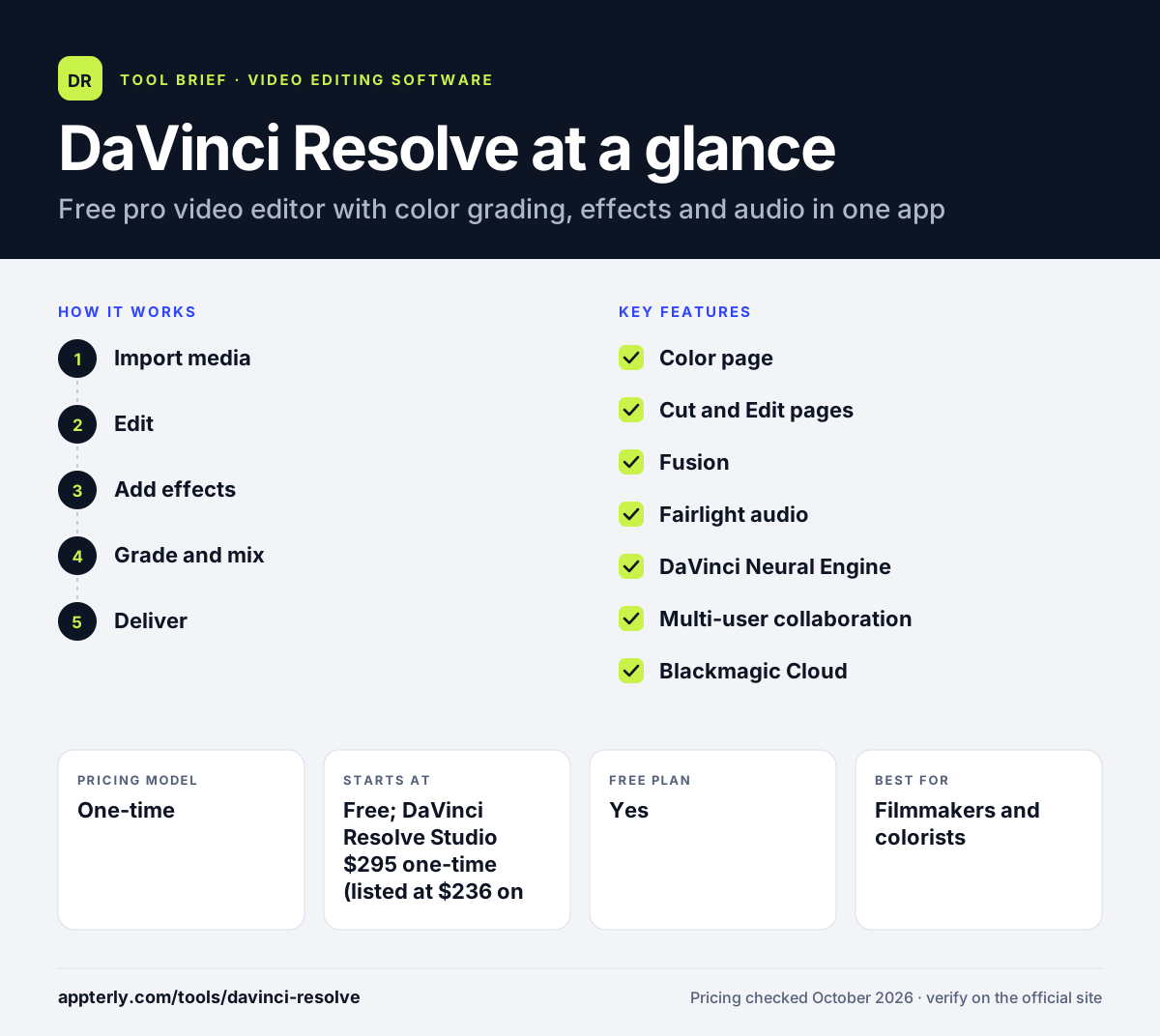
How does DaVinci Resolve work?
- Import media
Ingest and organize footage on the Media page, syncing audio and adding metadata. The Media page also handles clip syncing and metadata.
- Edit
Use the Cut page for fast turnarounds or the Edit page for detailed, track-based editing.
- Add effects
Build 2D and 3D effects, titles and composites in Fusion's node-based workspace.
- Grade and mix
Color grade on the Color page and mix, clean and master audio on the Fairlight page.
- Deliver
Queue renders for each format and platform on the Deliver page.
DaVinci Resolve key features
Color page
Industry-leading grading with primaries, secondaries, power windows, qualifiers and HDR tools.
Cut and Edit pages
Two editing workspaces, one for speed and one for detailed timeline work with proxies and subtitles.
Fusion
Node-based visual effects, motion graphics, tracking and compositing built into the app.
Fairlight audio
Full audio post with ADR, Foley, mixing of up to 2,000 tracks, voice isolation and immersive formats.
DaVinci Neural Engine
Studio AI tools for facial recognition, smart reframing, speed warp, super scale, Magic Mask and noise reduction.
Multi-user collaboration
Real-time local and remote collaboration with bin locking and chat, included in the free version.
Blackmagic Cloud
Hosts projects and media so teams can work from anywhere.
Photo page
New in version 21, applies Resolve color tools to still images, including RAW files.
Why use DaVinci Resolve?
- The free version is unusually complete for professional work up to Ultra HD.
- Studio is a one-time purchase rather than a subscription.
- Editing, color, effects and audio live in one app, which reduces round-tripping.
- Its color tools are a standard in high-end post-production.
- Built-in collaboration lets editors, colorists and audio mixers work in parallel.
Who is DaVinci Resolve best for?
A good fit for
- Filmmakers and colorists
- YouTubers who want professional tools without a subscription
- Post-production teams collaborating on one project
- Editors on Linux, which few professional editors support
Less suited to
- Beginners who want a template-based quick editor
- Older computers without a capable GPU
- Creators who mostly edit on a phone
DaVinci Resolve pricing
| Pricing model | One-time |
|---|---|
| Free plan | Yes |
| Free trial | Not confirmed |
| Starting price | Free; DaVinci Resolve Studio $295 one-time (listed at $236 on sale) |
The free version supports up to Ultra HD at 60fps and includes collaboration. Studio adds the Neural Engine, more effects, 10-bit and 120fps support, resolutions beyond 4K and advanced HDR and audio.
Prices checked October 2026. Vendors change plans often, so confirm on the official DaVinci Resolve pricing page before you buy.
DaVinci Resolve pros and cons
Pros
- Powerful free version
- Best-in-class color grading
- One-time Studio price instead of a subscription
- Effects and audio post built in
Cons
- Steep learning curve for newcomers
- Demands strong hardware, especially a good GPU
- Many AI tools require the paid Studio version
DaVinci Resolve integrations and platforms
Works with
Available on
DaVinci Resolve alternatives
See the full shortlist in Best Video Editing Software for Marketers.
DaVinci Resolve FAQ
Is DaVinci Resolve free?
Yes. DaVinci Resolve has a free version for Windows, macOS and Linux that supports most 8-bit formats up to 60fps and Ultra HD resolution, with editing, color, Fusion effects, Fairlight audio and multi-user collaboration. DaVinci Resolve Studio is a paid upgrade with AI and advanced features. You can start on the free version and upgrade later.
How much is DaVinci Resolve Studio?
DaVinci Resolve Studio is a one-time purchase with an MSRP of $295, and Blackmagic Design's site listed it at a reduced $236. There is no subscription. Studio adds the DaVinci Neural Engine, extra Resolve FX, 10-bit and 120fps support, resolutions beyond 4K and advanced HDR and audio tools. Studio is sold as a single purchase rather than a subscription.
Is DaVinci Resolve good for beginners?
DaVinci Resolve can be learned by beginners, and the Cut page offers a simpler editing workflow. Still, it is a full professional suite with many pages and tools, so expect a learning curve. Beginners making simple social videos may start faster with a template-based editor. The free version lets you learn the full workflow before buying Studio.
DaVinci Resolve vs Premiere Pro: what's the difference?
DaVinci Resolve offers a strong free version and a one-time Studio license, with standout color grading and built-in Fusion and Fairlight. Premiere Pro is a subscription editor tied into Adobe Creative Cloud, Firefly and Frame.io. Budget and existing tools usually decide between them. Resolve also runs on Linux, while Premiere Pro does not.
What computer do I need for DaVinci Resolve?
DaVinci Resolve runs on Windows, macOS and Linux, and it relies heavily on the graphics processor. A recent machine with a capable GPU and plenty of memory gives the best experience, especially for 4K, effects and AI features. Check Blackmagic Design's support page for current minimum specifications. The free version is a good way to test performance on your hardware.
Sources
This overview is based on DaVinci Resolve's official website and documentation, checked October 2026.