What is Webflow?
Webflow is a visual web development platform that lets designers build custom, responsive websites and landing pages without writing code by hand, while still producing clean HTML and CSS. It launched in 2013 and combines a design canvas, a content management system and managed hosting. The editor works with real web concepts such as boxes, classes and breakpoints, which gives precise control.
Webflow is popular with agencies, freelancers and in-house marketing teams that want pixel-level design freedom. Add-ons extend it with ecommerce, localization into several languages, site analytics and A/B testing and personalization through Optimize. AI features can generate sections, write copy and suggest SEO improvements, with usage metered in monthly credits.
Webflow at a glance
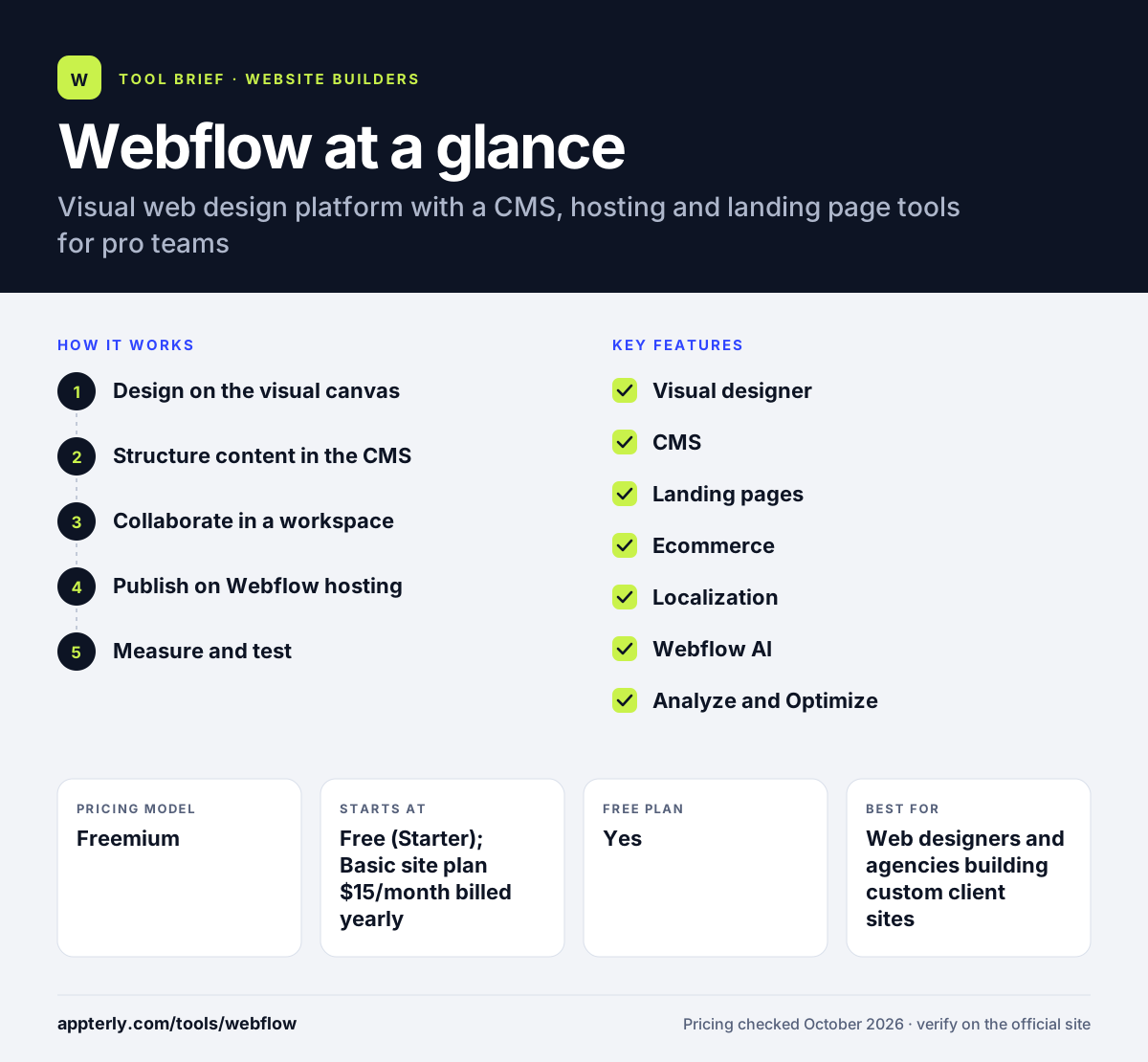
How does Webflow work?
- Design on the visual canvas
Build layouts with elements, classes and breakpoints, or start from a template or AI-generated section.
- Structure content in the CMS
Create collections for blog posts, case studies or products and bind them to page templates.
- Collaborate in a workspace
Invite teammates, use shared libraries and let editors update copy without touching the design.
- Publish on Webflow hosting
Attach a site plan, connect a custom domain and publish to Webflow's managed hosting.
- Measure and test
Add Analyze for site analytics or Optimize for A/B tests and personalized landing pages.
Webflow key features
Visual designer
A code-aware canvas with full control over layout, typography, interactions and animations. Interactions and animations can be built visually.
CMS
Collections and dynamic templates for blogs and content-heavy sites, included from the Premium site plan. Editors can update content without breaking layouts.
Landing pages
Build campaign pages quickly with reusable components and shared libraries, then test them with Optimize.
Ecommerce
Separate ecommerce plans support online stores, with transaction fees removed on higher tiers. Higher ecommerce tiers raise item limits and remove fees.
Localization
Translate and localize sites into multiple languages as a paid add-on. Each locale can have its own translated content and SEO settings.
Webflow AI
AI tools generate layouts, write copy and suggest SEO fixes, using a monthly credit allowance. AI credits are shared across a workspace.
Analyze and Optimize
Paid add-ons for site analytics, A/B testing and personalization. Optimize is priced by page views.
Custom code and code export
Workspace plans allow custom code embeds and exporting site code.
Why use Webflow?
- Webflow gives designers far more layout control than template-driven builders.
- The built-in CMS handles blogs and large content libraries without plugins.
- Managed hosting means no server maintenance or security patching.
- Marketing teams can launch and edit landing pages without waiting on developers.
- Add-ons for localization, analytics and testing keep the stack in one place.
Who is Webflow best for?
A good fit for
- Web designers and agencies building custom client sites
- In-house marketing teams that ship many landing pages
- SaaS and startup companies that want a flexible marketing site
- Content-heavy sites that need a structured CMS
Less suited to
- Complete beginners who want a quick template site
- Large ecommerce stores that need extensive apps and inventory tools
- Small budgets, since site plans, workspace seats and add-ons add up
Webflow pricing
| Pricing model | Freemium |
|---|---|
| Free plan | Yes |
| Free trial | Not confirmed |
| Starting price | Free (Starter); Basic site plan $15/month billed yearly |
Webflow charges per site (Basic, Premium, plus ecommerce plans) and separately for workspace seats (Core, Growth, Freelancer, Agency). Localization, Analyze, Optimize and extra AI credits are paid add-ons, and the Team platform plan is $2,500/month.
Prices checked October 2026. Vendors change plans often, so confirm on the official Webflow pricing page before you buy.
Webflow pros and cons
Pros
- Deep design control without hand coding
- Strong built-in CMS
- Fast, managed hosting
- Good fit for landing page production
Cons
- Steeper learning curve than drag-and-drop builders
- Pricing is split across site plans, workspaces and add-ons
- Free plan is limited to a webflow.io domain and two pages
Webflow integrations and platforms
Available on
Webflow alternatives
See the full shortlist in Best Website Builders.
Webflow FAQ
Is Webflow free?
Webflow has a free Starter plan that lets you build and publish a small site on a webflow.io subdomain with two static pages and limited bandwidth. A custom domain requires a paid site plan, starting with Basic at $15 per month billed yearly. Team features need a paid workspace plan. Ecommerce, localization and analytics are billed separately as add-ons.
What is Webflow used for?
Webflow is used to design and host marketing websites, landing pages, blogs and portfolios. Agencies use it to build custom client sites, and marketing teams use it to launch campaign pages and manage content through the CMS without relying on engineers for every change. Its CMS also makes it a common choice for blogs and resource libraries.
Is Webflow good for beginners?
Webflow can be learned by beginners, but it has a steeper learning curve than template builders like Wix or Squarespace. It uses web concepts such as classes and breakpoints. People with some design or front-end knowledge pick it up fastest, and starting from a template or AI-generated section shortens the ramp.
Webflow vs WordPress: what's the difference?
Webflow is a hosted visual platform where design, CMS and hosting come together, with no plugins to maintain. WordPress is open-source software you host yourself or on WordPress.com, with a huge plugin library. Webflow suits teams that want design control and low maintenance, while WordPress suits those who want flexibility and plugins. Both can power professional marketing sites, so the choice often comes down to team skills.
Can I build landing pages in Webflow?
Yes. Many teams use Webflow for landing pages because components and shared libraries make new pages quick to build. The Optimize add-on adds A/B testing and personalization, and Analyze tracks page performance. Form submissions are unlimited on paid site plans. Shared libraries also let large teams keep landing page designs consistent.
Sources
This overview is based on Webflow's official website and documentation, checked October 2026.