What is Submagic?
Submagic is an AI video editing tool that turns raw or long-form footage into captioned, ready-to-post short videos for TikTok, Instagram Reels, YouTube Shorts and LinkedIn. It is built for creators, marketers and agencies who publish a steady flow of vertical video and want captions, cuts and effects done in minutes rather than hours inside a traditional timeline editor.
The core of the product is automatic captioning in more than 100 languages, with a range of animated caption styles. Around that sit Magic Clips, which pulls short highlights out of podcasts and interviews, transcript-based trimming, silence and bad-take removal, auto zooms, b-roll, sound effects and music. Higher plans add brand kits, 4K export, scheduling and direct publishing to social accounts, plus an API for teams that want to automate editing at volume.
Submagic at a glance
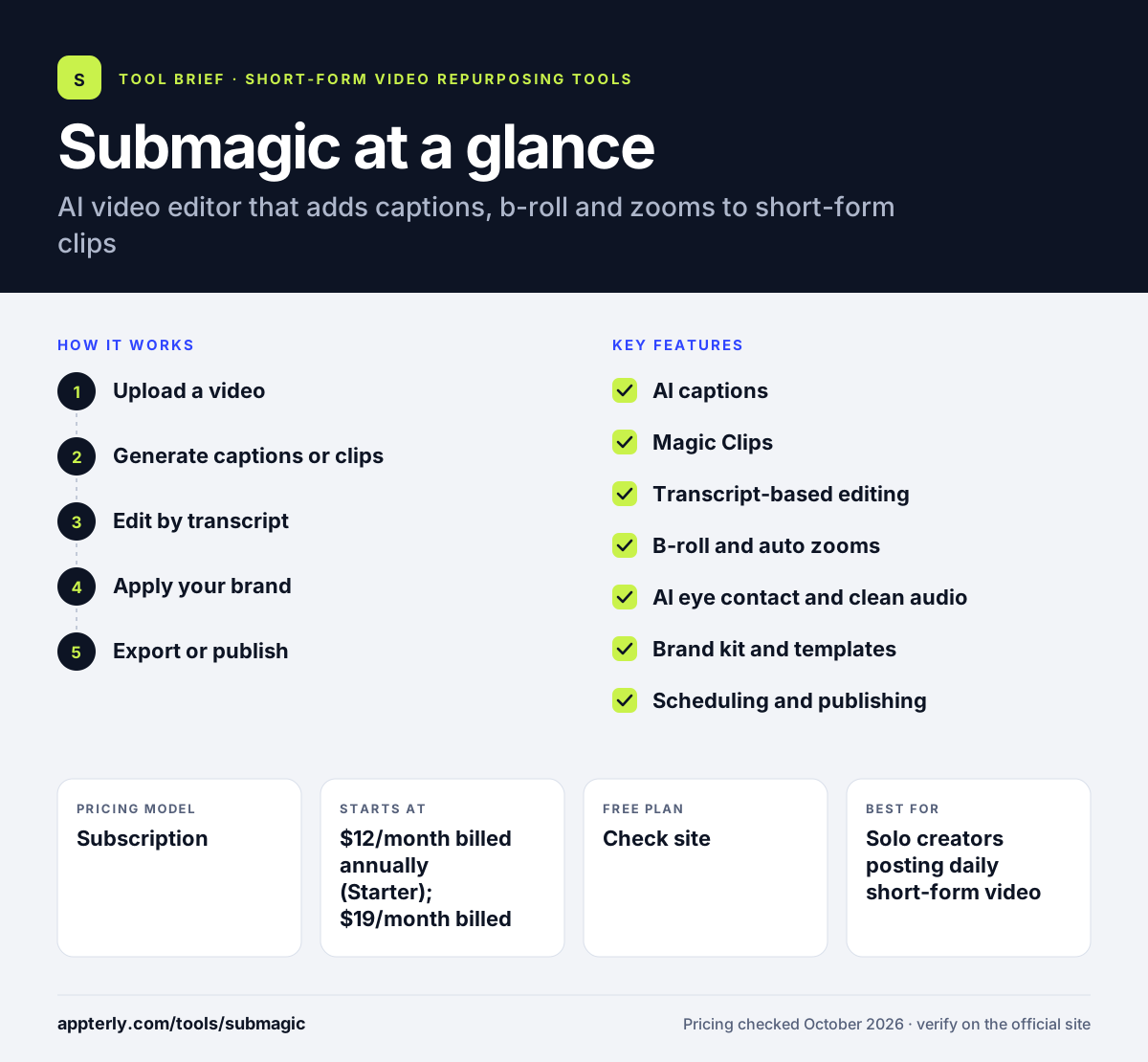
How does Submagic work?
- Upload a video
Upload a talking-head clip or a longer recording such as a podcast or webinar to the web app.
- Generate captions or clips
Submagic transcribes the audio and adds styled captions, or Magic Clips finds the strongest moments and cuts them into separate shorts.
- Edit by transcript
Delete words in the transcript to trim the video, remove silences and bad takes, and add zooms, b-roll, music or sound effects.
- Apply your brand
Pick a caption template or a saved brand kit so fonts, colors and logos stay consistent across clips.
- Export or publish
Download the finished file or schedule and publish it directly to connected social profiles.
Submagic key features
AI captions
Automatic subtitles in over 100 languages with animated, customizable styles, plus a subtitle generator and video translation.
Magic Clips
Finds key moments in long videos and turns them into several short clips ready for vertical platforms.
Transcript-based editing
Trim footage by editing text, and remove silences and bad takes automatically on paid tiers.
B-roll and auto zooms
Adds supporting footage, zoom effects, transitions, sound effects and background music to keep viewers watching.
AI eye contact and clean audio
Corrects gaze toward the camera and cleans up voice audio on supported plans.
Brand kit and templates
Save fonts, colors, logos and custom caption templates for consistent output across a team or client accounts.
Scheduling and publishing
Plan posts and publish from the editor to TikTok, Instagram, YouTube, Facebook and LinkedIn, with basic analytics.
Video editing API
Automates captioning and editing in your own workflows, with add-on API minute packs for larger volumes.
Why use Submagic?
- Captioning a short video takes minutes instead of manual subtitle work.
- Magic Clips turns one long recording into many posts, which stretches content budgets further.
- Transcript editing lets non-editors cut videos without learning a timeline tool.
- Brand kits keep a consistent look when several people or clients produce videos.
- Built-in scheduling reduces the number of tools needed to go from edit to post.
Who is Submagic best for?
A good fit for
- Solo creators posting daily short-form video
- Social media managers handling several brand accounts
- Podcasters repurposing episodes into clips
- Small agencies producing captioned video for clients
Less suited to
- Editors who need full multi-track, frame-level control for long-form projects
- Teams that only make a few videos a month, given the credit-based plans
- Users who want a permanent free plan rather than a trial
Submagic pricing
| Pricing model | Subscription |
|---|---|
| Free plan | Not confirmed |
| Free trial | Not confirmed |
| Starting price | $12/month billed annually (Starter); $19/month billed monthly |
Starter covers about 15 videos a month at up to 2 minutes each. Pro ($23/month annually) adds b-roll libraries, auto zooms, silence removal and publishing, and Business ($41/month annually) adds 4K export and more profiles. Sign-up is free with no credit card, but the trial length is not stated.
Prices checked October 2026. Vendors change plans often, so confirm on the official Submagic pricing page before you buy.
Submagic pros and cons
Pros
- Fast, accurate captions with many animated styles
- Turns long videos into multiple shorts automatically
- Transcript editing is easy for beginners
- Publishing and scheduling are built in
Cons
- Monthly video and length limits on each plan
- 4K export and multiple social profiles are limited to the top tier
- No mobile app mentioned on the official site
Submagic integrations and platforms
Works with
Available on
Submagic alternatives
See the full shortlist in Best AI Video Clipping Tools.
Submagic FAQ
Is Submagic free?
Submagic lets you sign up and try the editor without a credit card, but it does not list a permanent free plan. Paid plans start at $12 per month billed annually or $19 billed monthly for the Starter tier. The trial length is not stated on the pricing page, so check your account after signing up.
What is Submagic used for?
Submagic is used to add captions and effects to short-form videos and to turn long recordings into vertical clips. Creators and marketers use it for TikTok, Instagram Reels, YouTube Shorts and LinkedIn posts, removing silences, adding b-roll and zooms, and then scheduling or publishing directly from the app.
Is Submagic good for beginners?
Yes. Submagic is designed so people without editing experience can produce polished shorts. You upload a video, choose a caption style and trim by editing the transcript instead of working on a timeline. More advanced options such as brand kits, custom templates and the API are there when you need them.
Submagic vs OpusClip: what's the difference?
Both tools turn long videos into short clips with captions. OpusClip focuses mainly on automatic clipping from long-form content. Submagic is known for its caption styles and adds a wide set of editing tools, including b-roll, zooms, eye contact correction and transcript trimming, along with scheduling and an editing API.
How many languages does Submagic support?
Submagic says its captions work in more than 100 languages, including English, Spanish, Hindi, Arabic, Japanese and Korean. It also offers video translation, so you can create subtitled versions of the same clip for different audiences without rebuilding the edit from scratch.
Sources
This overview is based on Submagic's official website and documentation, checked October 2026.