What is Colossyan?
Colossyan is an AI video platform that turns documents, slide decks and existing knowledge into avatar-presented training and enablement videos. It is built for learning and development teams, HR, compliance, sales enablement and customer education teams that need to produce training content without cameras, studios or presenters. Videos can be localized, made interactive and published to a learning management system.
Colossyan offers more than 300 stock AI avatars and hundreds of voices across 100+ languages, plus custom avatars and voice options. An AI agent drafts videos scene by scene from PDFs, PowerPoint files, URLs or prompts, and nothing renders until you approve it. Interactive features include quizzes, branching scenarios and clickable buttons, and finished courses can be exported as SCORM packages for your LMS.
Colossyan at a glance
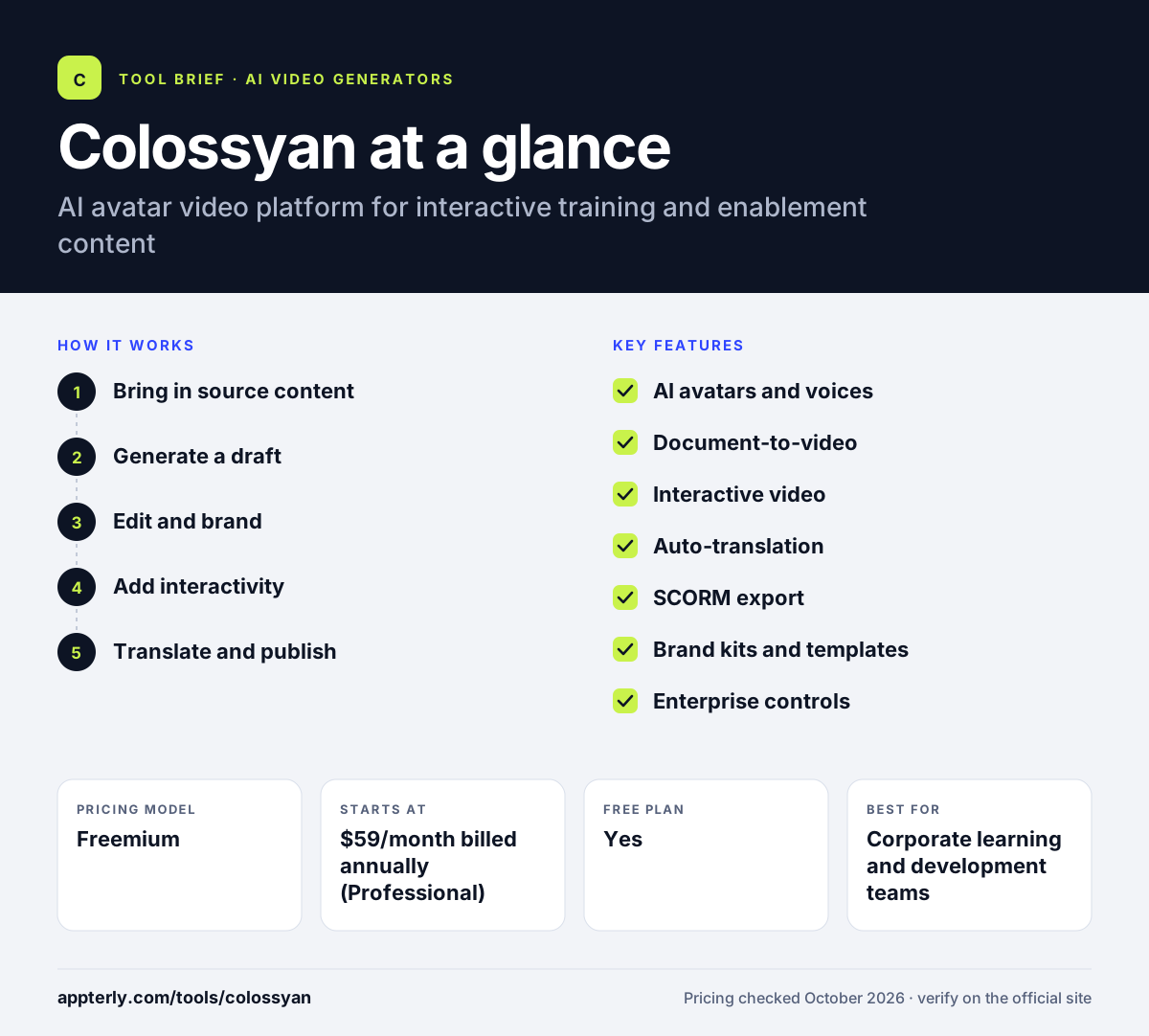
How does Colossyan work?
- Bring in source content
Upload a document, PDF, PowerPoint deck or URL, or describe the video in a prompt.
- Generate a draft
Colossyan's AI agent builds the video scene by scene with avatars, scripts and visuals for you to review. You can change any scene before rendering, which saves video minutes.
- Edit and brand
Adjust scripts, swap avatars and voices, apply your brand kit and add images or screen recordings.
- Add interactivity
Insert quizzes, branching paths and buttons to turn passive videos into active learning. Enterprise customers also get analytics on how viewers engage.
- Translate and publish
Auto-translate into other languages, then share a link, download MP4 or export SCORM to your LMS.
Colossyan key features
AI avatars and voices
300+ stock avatars and 700+ voices, with custom avatars and voice clones on paid plans.
Document-to-video
Creates draft videos from documents, PDFs, slide decks, URLs or prompts.
Interactive video
Quizzes, branching scenarios and clickable buttons inside videos.
Auto-translation
Localizes videos into 100+ languages from a single source project.
SCORM export
Exports courses as SCORM packages so they can run in an LMS with tracking.
Brand kits and templates
Keeps fonts, colors and logos consistent across a team's videos.
Enterprise controls
Analytics, SSO/SAML and EU or US data residency on the Enterprise plan.
Why use Colossyan?
- Training videos can be produced without filming, which saves studio time and cost.
- Updating a video means editing the script rather than reshooting.
- Built-in translation helps global companies deliver training in local languages.
- Interactive quizzes and branching make videos more engaging and measurable.
- SCORM export fits existing LMS and compliance workflows.
Who is Colossyan best for?
A good fit for
- Corporate learning and development teams
- HR and compliance training programs
- Sales and customer enablement teams
- Global companies localizing training content
Less suited to
- Creators making entertainment or cinematic social content
- Teams that need unlimited video minutes on a small budget
- Users who want 4K output without an Enterprise plan
Colossyan pricing
| Pricing model | Freemium |
|---|---|
| Free plan | Yes |
| Free trial | 14 days |
| Starting price | $59/month billed annually (Professional) |
The free Starter plan includes limited minutes and watermarks; Professional adds more minutes, SCORM exports, watermark removal and three editor seats, while Enterprise is custom and billed annually.
Prices checked October 2026. Vendors change plans often, so confirm on the official Colossyan pricing page before you buy.
Colossyan pros and cons
Pros
- Strong focus on training and interactive learning
- Wide avatar, voice and language selection
- SCORM export for LMS delivery
- Free plan available
Cons
- Minutes are limited and do not roll over
- 4K and unlimited usage require Enterprise
- Avatar videos are less suited to creative marketing content
Colossyan integrations and platforms
Works with
Available on
Colossyan alternatives
See the full shortlist in Best AI Video Generators.
Colossyan FAQ
Is Colossyan free?
Yes, Colossyan has a free Starter plan with no credit card required. It includes a monthly allowance of video minutes, access to the stock avatar library and limited interactive videos and translations, but it does not remove watermarks or include SCORM export. The Professional plan starts at $59 per month on annual billing.
What is Colossyan used for?
Colossyan is used to create training and enablement videos with AI avatars. Companies use it for employee onboarding, compliance training, product education, sales enablement and customer training. It can turn documents and slides into videos, add quizzes and branching, translate content and export courses to an LMS through SCORM. It supports more than 100 languages, so the same course can be delivered to employees in many countries.
Is Colossyan good for beginners?
Yes, Colossyan is designed for people without video production skills. You can start from a document or prompt, and the AI agent drafts the video for you to review. The editor works like a slide tool, so trainers and HR staff can make edits by changing scripts and scenes. A library of templates and brand kits also helps new users keep videos consistent.
Colossyan vs Synthesia: what's the difference?
Both platforms create AI avatar videos for business use. Colossyan puts strong emphasis on learning content, with interactive quizzes, branching scenarios, SCORM export and document-to-video drafting. Synthesia is a broader AI video platform used across training, marketing and communications. Compare avatar quality, languages, minute limits and LMS features before choosing. Both tools offer free or trial options, so testing with your own training material is the clearest way to decide.
Does Colossyan integrate with an LMS?
Colossyan connects to learning management systems through SCORM export, which is included in the Professional and Enterprise plans. You export a course as a SCORM package and upload it to your LMS, where completions and quiz results can be tracked. You can also share videos by link or download them as MP4 files. Enterprise plans add analytics and SSO for larger training programs.
Sources
This overview is based on Colossyan's official website and documentation, checked October 2026.