What is Surfer?
Surfer is an SEO content and AI visibility platform that helps marketing teams see how their brand appears in Google and AI tools, then create or update content to improve it. Formerly known as SurferSEO, it now runs at surfer.ai and belongs to the Positive group of software companies. Surfer introduced its Content Score in 2018 and remains best known for its Content Editor.
The Content Editor gives live guidelines on terms, structure and length while you write, with AI-assisted outlines and drafts in your brand voice. Content Audit finds underperforming pages, Topical Map suggests topics by intent, and AI Tracker monitors mentions in ChatGPT, Gemini, Claude, Perplexity and Google AI Overviews. Surfer works with Google Docs, offers a WordPress plugin and provides free tools such as the Keyword Surfer Chrome extension.
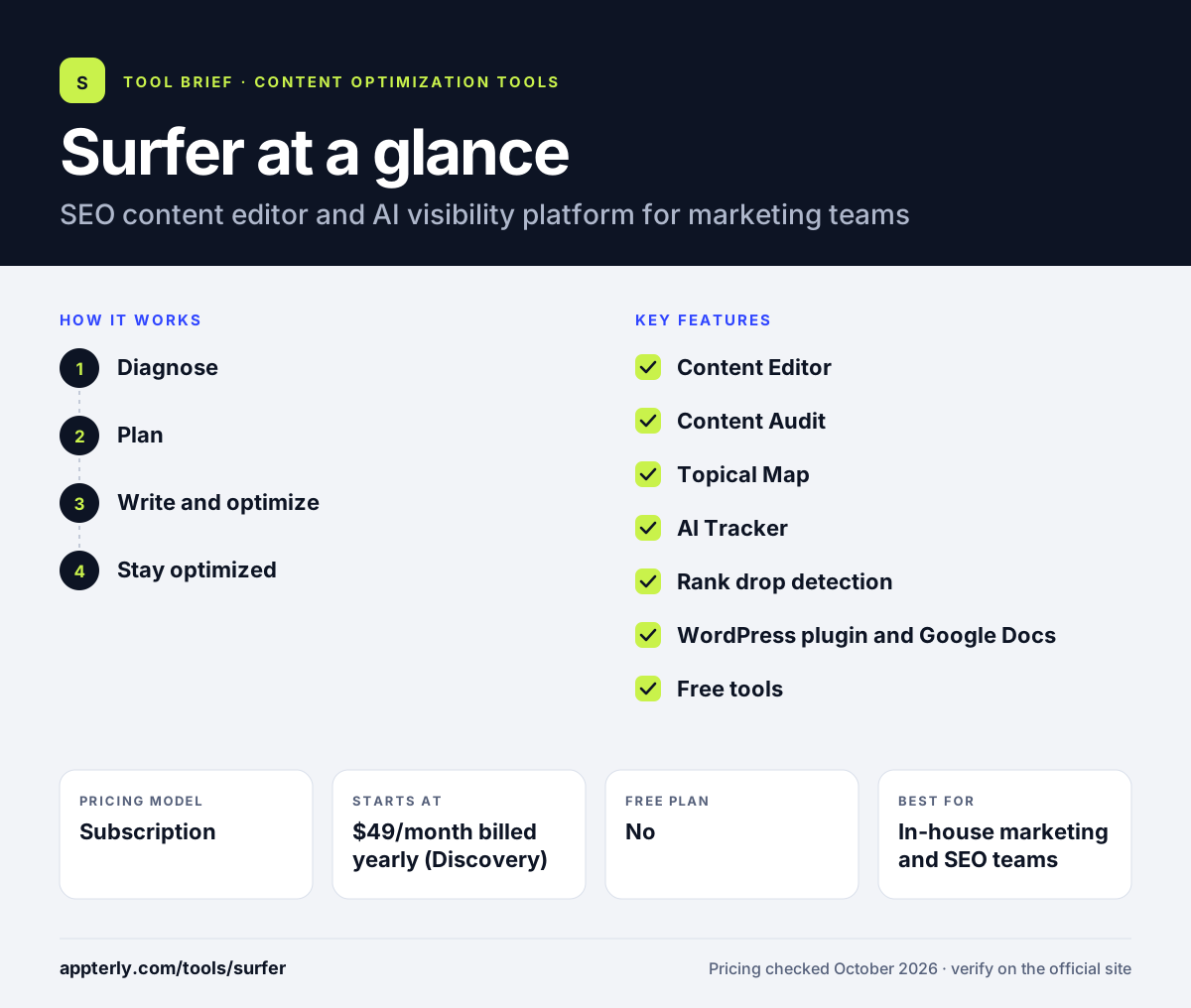
Surfer at a glance
How does Surfer work?
- Diagnose
Check AI visibility, audit existing content and find competitive topic gaps.
- Plan
Turn findings into a prioritized task list or use Topical Map to choose new topics.
- Write and optimize
Draft in the Content Editor, Google Docs or WordPress with live scoring and AI help.
- Stay optimized
Get alerts when pages drop and re-optimize them with suggested fixes.
Surfer key features
Content Editor
Live SEO guidelines, Content Score, outlines and AI writing.
Content Audit
Finds weak pages and ranks fixes by impact and effort.
Topical Map
Suggests topics and angles based on search intent.
AI Tracker
Monitors brand mentions across major AI assistants and AI Overviews.
Rank drop detection
Alerts you when pages lose rankings or competitors take queries.
WordPress plugin and Google Docs
Brings the editor into common writing tools.
Free tools
Keyword Surfer Chrome extension, AI Detector and AI Humanizer.
Why use Surfer?
- The Content Editor gives writers clear, live guidance.
- One platform covers audits, planning, writing and AI visibility.
- Several plan tiers fit solo users through large teams.
- WordPress and Google Docs support reduce copy and paste.
- MCP access connects Surfer data to AI assistants on higher plans.
Who is Surfer best for?
A good fit for
- In-house marketing and SEO teams
- Content agencies producing many articles
- Bloggers and site owners refreshing old content
- Brands tracking visibility in AI answers
Less suited to
- Users who want a free plan for core features
- Teams that need technical SEO crawling or backlink research
- Buyers who prefer monthly billing shown upfront
Surfer pricing
| Pricing model | Subscription |
|---|---|
| Free plan | No |
| Free trial | Not confirmed |
| Starting price | $49/month billed yearly (Discovery) |
Discovery, Standard, Pro and Peace of Mind add documents, AI prompts, workspaces, seats and features like internal linking and API access. A separate AI Search Analytics plan covers visibility tracking only, and Enterprise is custom.
Prices checked October 2026. Vendors change plans often, so confirm on the official Surfer pricing page before you buy.
Surfer pros and cons
Pros
- Widely used, writer-friendly Content Editor
- Strong mix of audit, planning and writing tools
- AI visibility tracking built in
- Useful free tools
Cons
- Published prices are for yearly billing
- API access limited to top tiers or add-on
- No free plan for the Content Editor
Surfer integrations and platforms
Works with
Available on
Surfer alternatives
See the full shortlist in Best SEO Content Optimization Tools.
Surfer FAQ
Is Surfer free?
Surfer does not offer a free plan for its main platform. Paid plans start at $49 per month billed yearly for Discovery. Surfer does offer free standalone tools, including the Keyword Surfer Chrome extension, an AI Detector, an AI Humanizer and a free AI visibility audit.
What is Surfer used for?
Surfer is used to write and optimize content for Google and AI search. Writers use the Content Editor to follow live term and structure guidelines, while teams use Content Audit, Topical Map and AI Tracker to find weak pages, plan topics and see how often AI assistants mention their brand.
Is Surfer good for beginners?
Yes. Surfer is one of the more beginner-friendly SEO content tools. The Content Score and guidelines show exactly what to add while you write, and AI help can produce outlines and drafts. Beginners can start on the Discovery plan and add audits and AI tracking later as needs grow.
Surfer vs Clearscope: what's the difference?
Both grade content against ranking pages and track AI visibility. Surfer has a lower entry price, more plan tiers, a Topical Map, Content Audit and free tools. Clearscope starts at $129 per month, includes unlimited users on every plan and focuses on a simple grading and monitoring workflow.
Does Surfer integrate with WordPress?
Yes. Surfer offers a WordPress plugin that brings the full Content Editor into WordPress. It also works with Google Docs so writers can see guidelines while drafting. Higher plans add MCP access for tools like ChatGPT and Claude, and API access is available with an add-on or Enterprise.
Sources
This overview is based on Surfer's official website and documentation, checked October 2026.