What is Slack?
Slack is a messaging platform that organizes conversations into channels so teams, clients and communities can talk in real time instead of over email. Each workspace can hold public and private channels, direct messages, audio and video huddles, shared documents called canvases and simple project lists. Slack Connect extends channels to people outside your organization, which is why agencies use it to work with clients and why many professional communities run on it.
Slack is owned by Salesforce, which bought it in 2021, and its newer releases focus on AI. Paid plans add channel and thread summaries and huddle notes, while Business+ includes Slackbot as a personal AI agent, AI search and AI steps in Workflow Builder. More than 2,600 apps connect through the Slack Marketplace. A free plan exists, but it keeps only 90 days of message history and allows up to 10 apps.
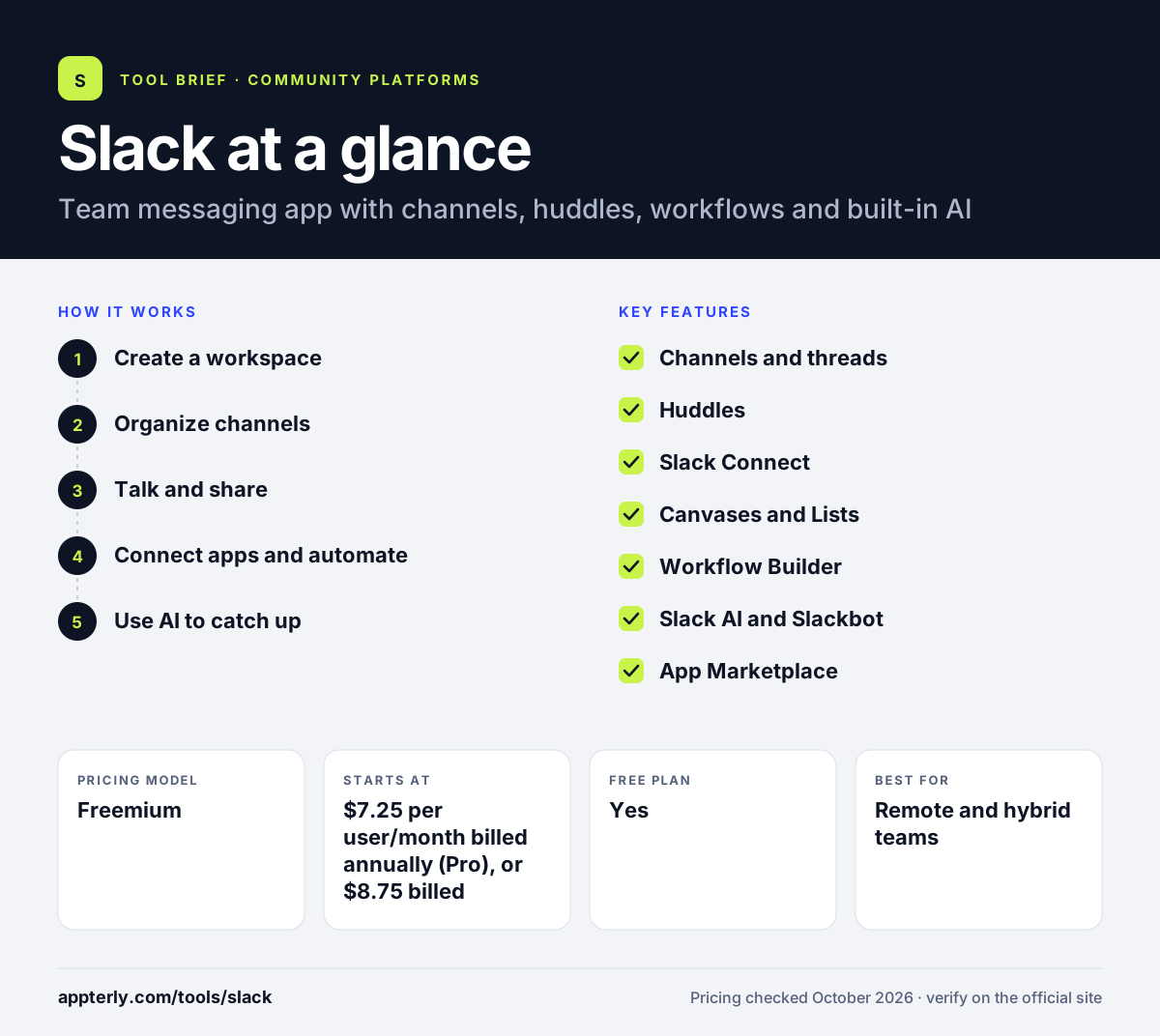
Slack at a glance
How does Slack work?
- Create a workspace
Sign up for free, name your workspace and invite teammates, clients or community members by email or link.
- Organize channels
Set up public or private channels by team, project, client or topic so each conversation has a clear home.
- Talk and share
Post messages, threads, files and clips, or start a huddle for a quick audio or video call.
- Connect apps and automate
Add apps from the Marketplace and use Workflow Builder to automate requests, approvals and onboarding steps.
- Use AI to catch up
On paid plans, summarize busy channels and threads, review huddle notes and search across conversations.
Slack key features
Channels and threads
Conversations grouped by team or topic, with threads to keep side discussions tidy and searchable.
Huddles
Audio and video calls inside Slack. The free plan supports one-to-one huddles, and paid plans add group huddles and AI notes.
Slack Connect
Shared channels with partners, clients and vendors from other organizations, which reduces back-and-forth email.
Canvases and Lists
Shared documents and to-do or project lists that live next to the conversation.
Workflow Builder
No-code automations for routine tasks such as forms, approvals and reminders, with AI steps on Business+.
Slack AI and Slackbot
Summaries, daily recaps and huddle notes, plus a personal AI agent on Business+ and enterprise search on Enterprise+.
App Marketplace
More than 2,600 integrations, including Google Drive, Microsoft 365 and Salesforce.
Why use Slack?
- Channels cut down internal email and make past decisions easy to find.
- Slack Connect lets agencies and freelancers work with clients in shared channels.
- A large app marketplace means most marketing and sales tools can post updates into Slack.
- Workflow Builder automates repetitive requests without code.
- AI summaries help busy people catch up on long threads quickly.
Who is Slack best for?
A good fit for
- Remote and hybrid teams
- Agencies collaborating with clients
- Startups and tech companies
- Professional and member communities
Less suited to
- Paid creator communities that need courses and built-in payments
- Large free communities that need permanent message history on a budget
- Teams that prefer to stay in the Microsoft 365 ecosystem
Slack pricing
| Pricing model | Freemium |
|---|---|
| Free plan | Yes |
| Free trial | Not confirmed |
| Starting price | $7.25 per user/month billed annually (Pro), or $8.75 billed monthly |
Business+ costs $15 per user/month billed annually and adds the full AI set, while Enterprise+ is $45 per user/month on annual contracts through sales. The free plan keeps 90 days of history and allows 10 apps.
Prices checked October 2026. Vendors change plans often, so confirm on the official Slack pricing page before you buy.
Slack pros and cons
Pros
- Fast, familiar chat with well-organized channels
- Slack Connect makes client collaboration easy
- Huge app marketplace
- Strong security and compliance options
- Free plan with no time limit
Cons
- Free plan hides messages older than 90 days
- Per-user pricing adds up for large communities
- Most AI features require Business+ or higher
Slack integrations and platforms
Works with
Available on
Slack alternatives
See the full shortlist in Best Online Community Platforms.
Slack FAQ
Is Slack free?
Slack has a free plan with no time limit. It includes channels, one-to-one huddles and up to 10 app integrations, but you can only see the last 90 days of messages. Paid plans start with Pro at $7.25 per user per month billed annually, which removes the history limit and adds group huddles and AI summaries.
What is Slack used for?
Slack is used for team and client communication. Companies use channels for projects, departments and announcements, run quick calls with huddles, and automate routine requests with Workflow Builder. Agencies use Slack Connect to share channels with clients, and many professional and online communities use free Slack workspaces as discussion groups.
Slack vs Microsoft Teams: what's the difference?
Both are workplace chat tools with channels, calls and integrations. Microsoft Teams is bundled with Microsoft 365 and is tightly tied to Outlook, SharePoint and Office files. Slack is a standalone product with a larger third-party app marketplace, easier external collaboration through Slack Connect and close ties to Salesforce after its 2021 acquisition.
Can you use Slack for an online community?
Yes. Many professional and hobby communities run on Slack because members already know it. It works well for chat-style groups, but the free plan's 90-day history limit and per-user paid pricing make it costly for large groups, and it has no built-in courses or payments like dedicated community platforms.
Does Slack have AI features?
Yes. Paid plans include AI summaries of channels and threads and huddle notes. Business+ adds Slackbot as a personal AI agent, daily recaps, translations, AI search and AI steps in Workflow Builder. Slack says customer data is not used to train language models and that its models run inside Slack's own cloud environment.
Sources
This overview is based on Slack's official website and documentation, checked October 2026.