What is Skool?
Skool is an online community platform that puts a discussion feed, a course classroom, an event calendar and a points-based leaderboard into one simple group. Creators, coaches and educators use it to run free or paid communities, and members can browse and join public groups through Skool's own discovery directory. The design is deliberately minimal, so every community looks and works the same way, which keeps the learning curve short for owners and members.
Skool makes money through a flat monthly subscription plus a fee on each sale. There are only two plans: Hobby, which has a low monthly price and a higher transaction fee, and Pro, which costs more each month but takes a much smaller cut of payments. Both plans include unlimited members, courses, videos and live calls, a custom URL and an affiliate program, so the choice mostly comes down to how much revenue the community brings in.
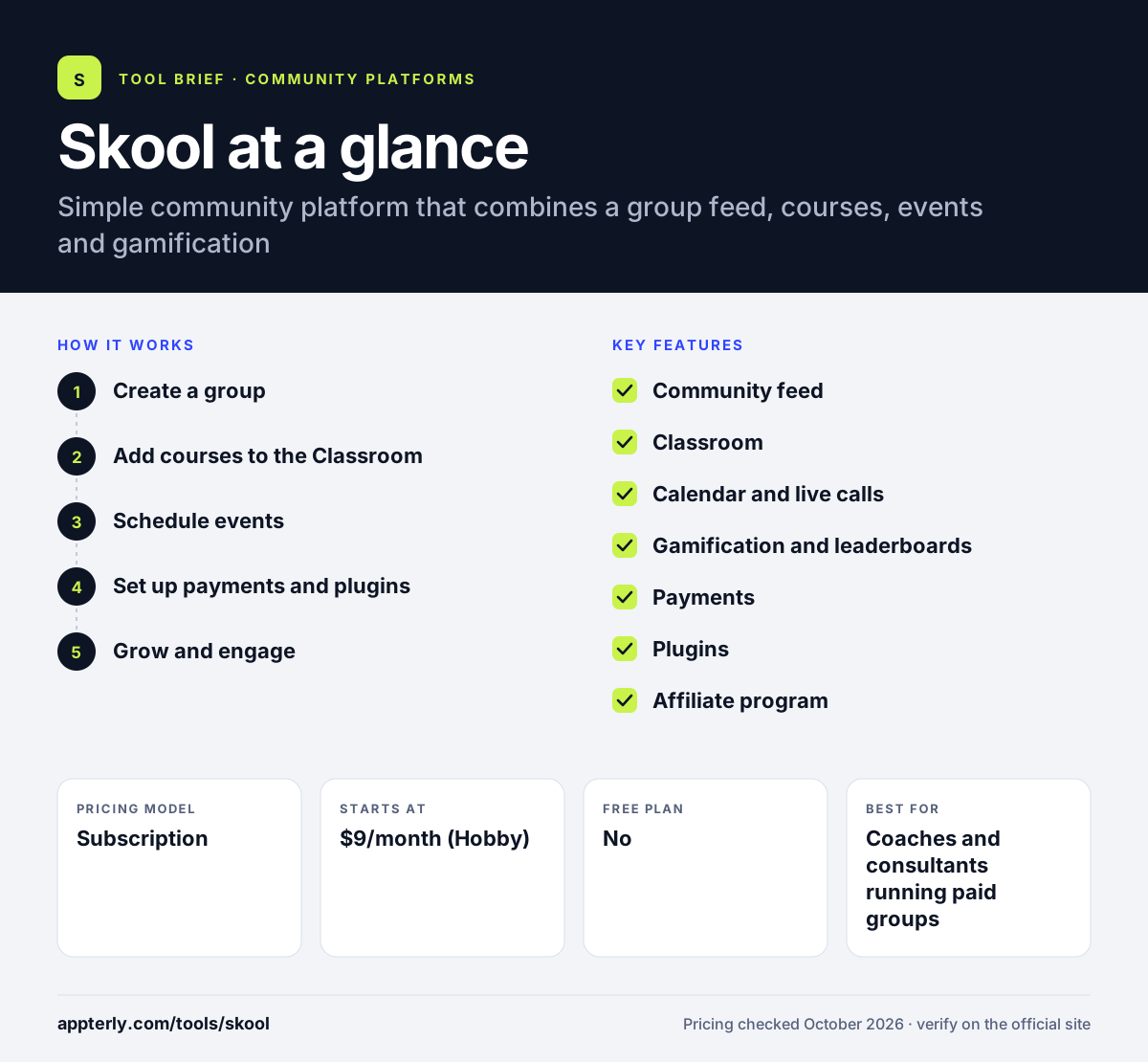
Skool at a glance
How does Skool work?
- Create a group
Start a free trial, name your community and choose whether it is public or private and free or paid.
- Add courses to the Classroom
Upload lessons and videos, then decide whether courses are open to everyone or unlock at a certain level or after purchase.
- Schedule events
Add live calls and events to the shared calendar so members see upcoming sessions in their own time zone.
- Set up payments and plugins
Connect payouts, set a membership price, and turn on plugins such as membership questions or automatic welcome messages.
- Grow and engage
Members earn points for activity and climb levels on the leaderboard, while affiliates and the discovery directory bring in new members.
Skool key features
Community feed
A single discussion feed with categories, comments and likes, where members post questions, wins and updates.
Classroom
A course area for video lessons and modules, with unlock settings tied to levels, purchases or admin choice.
Calendar and live calls
Shared event calendar plus Skool Calls and go-live options for running live sessions with members.
Gamification and leaderboards
Members earn points for their activity, rise through levels and appear on leaderboards, which gives them a reason to keep participating.
Payments
Built-in billing for paid memberships, with payouts handled inside Skool and a fee that depends on your plan.
Plugins
Optional add-ons such as membership questions at sign-up and automatic DMs to new members.
Affiliate program
Members can earn commissions by referring others to a paid community, which helps owners grow through word of mouth.
Why use Skool?
- Setup is fast because there are few settings and every group uses the same proven layout.
- Gamification gives members a reason to post and return, which keeps communities active.
- Pricing is easy to understand, with just two plans and unlimited members on both.
- Courses, events and discussion live together, so members do not need several logins.
- The public discovery directory can send new members to your group.
Who is Skool best for?
A good fit for
- Coaches and consultants running paid groups
- Course creators who want community-led learning
- Creators moving off Facebook Groups
- Small businesses building customer communities
Less suited to
- Brands that need heavy visual customization or white-label apps
- Internal team chat and company collaboration
- Course sellers who need advanced quizzes, certificates or complex funnels
Skool pricing
| Pricing model | Subscription |
|---|---|
| Free plan | No |
| Free trial | 14 days |
| Starting price | $9/month (Hobby) |
Hobby charges a 10% transaction fee on sales, while Pro costs $99/month and lowers the fee to 2.9%. Both include unlimited members, courses, videos and live calls, and yearly billing gives two months free.
Prices checked October 2026. Vendors change plans often, so confirm on the official Skool pricing page before you buy.
Skool pros and cons
Pros
- Very easy for owners and members to learn
- Gamification drives engagement
- Unlimited members and courses on both plans
- Low entry price with the Hobby plan
Cons
- Limited design and branding control
- High 10% transaction fee on the Hobby plan
- Fewer native integrations than larger community suites
Skool integrations and platforms
Works with
Available on
Skool alternatives
See the full shortlist in Best Online Community Platforms.
Skool FAQ
Is Skool free?
Creating a Skool account is free, and members can join free communities at no cost. To run your own group you need a paid plan after a free trial. The Hobby plan costs $9 per month with a 10% transaction fee, and the Pro plan costs $99 per month with a 2.9% fee. Yearly billing gives two months free.
What is Skool used for?
Skool is used to run online communities that combine discussion, courses and live events. Coaches, creators and educators use it for paid memberships, cohort programs and free lead-generation groups. The built-in leaderboard rewards active members with points and levels, and the classroom can unlock lessons as members progress or buy access.
Skool vs Mighty Networks: what's the difference?
Skool focuses on simplicity, with one layout, gamification and two plans with unlimited members. Mighty Networks offers deeper features such as AI tools, more automation, API access and branded mobile apps, but at a higher starting price. Skool usually suits creators who want to launch quickly, while Mighty Networks suits those who need more customization.
Does Skool have a mobile app?
Yes. Skool has a mobile app called Skool Communities that members and owners use to read the feed, post, watch classroom lessons and follow events. Because every group runs inside Skool's own app, owners cannot publish a separate branded app for their community.
Does Skool integrate with Zapier?
Yes. Skool has a Zapier integration that lets owners connect their community to other apps, for example to add new members to an email list or send data to a CRM. Skool also has built-in plugins, such as membership questions and automatic DMs, for common tasks without extra tools.
Sources
This overview is based on Skool's official website and documentation, checked October 2026.