What is Sapling?
Sapling is an AI language platform that adds grammar checking, autocomplete, rephrasing and text snippets to the tools customer-facing teams already use. It also includes a popular AI content detector. The product is aimed at support, sales and operations teams, plus developers who want to build language features into their own apps. Sapling is backed by Y Combinator.
Sapling works through a browser extension, an API and SDK, and an MCP server that AI assistants can call. It connects to Zendesk, Salesforce, ServiceNow, Gmail, LinkedIn and contact center tools like Amazon Connect and Twilio Flex. Enterprise customers get SSO, SCIM, PII redaction and optional self-hosting, which matter in regulated industries.
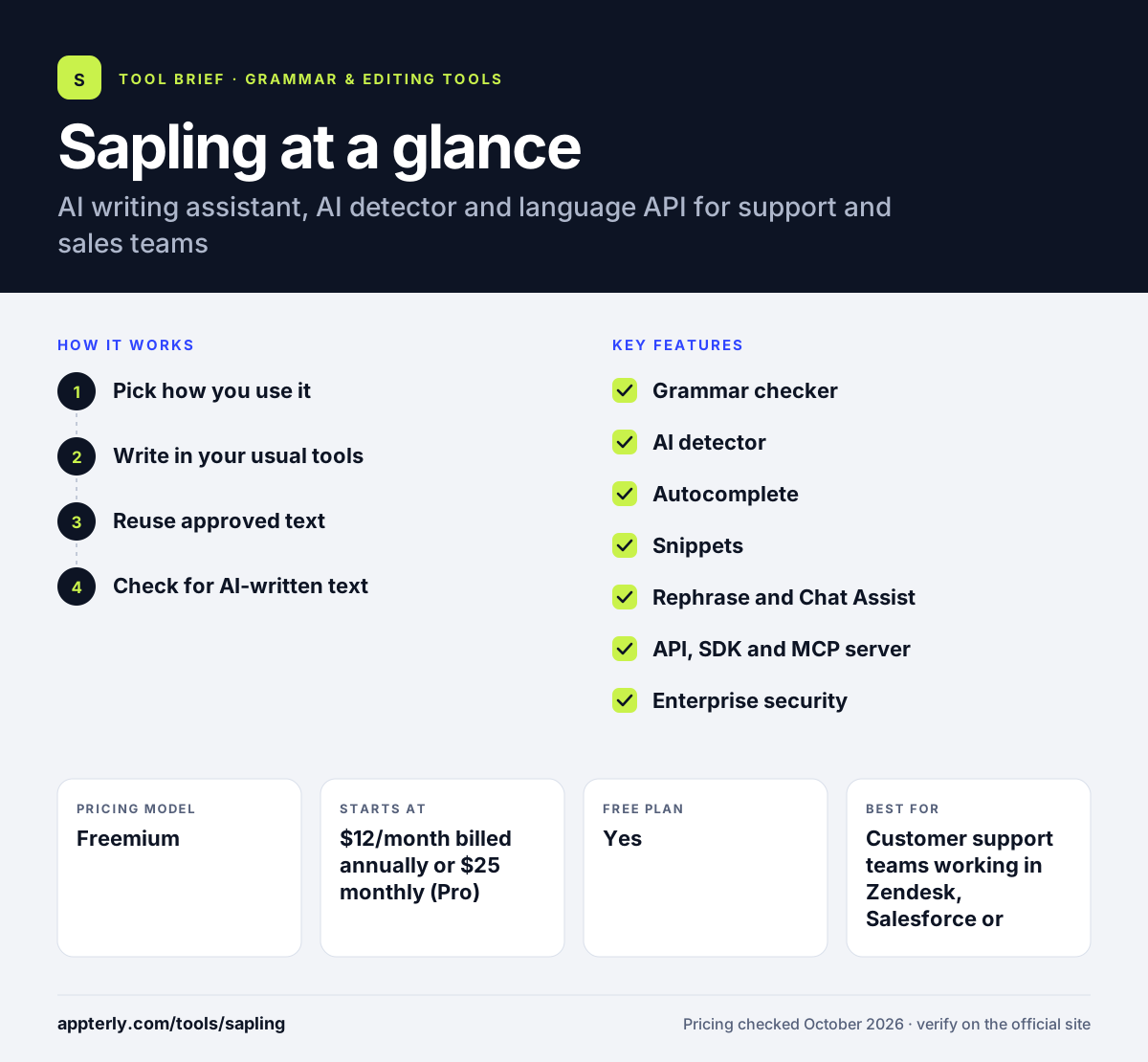
Sapling at a glance
How does Sapling work?
- Pick how you use it
Install the browser extension for individuals, or connect the API and SDK for your own product.
- Write in your usual tools
Sapling suggests grammar fixes and autocompletions as agents type in CRM and help desk apps.
- Reuse approved text
Insert snippets from a shared library to answer common questions quickly.
- Check for AI-written text
Paste text into the AI detector to get an overall score and sentence-level predictions.
Sapling key features
Grammar checker
Finds spelling and language quality issues, with scoring and error reports for teams. Teams can track quality over time and spot recurring issues.
AI detector
Estimates whether text was written by a person or AI, with per-sentence results. Educators and publishers use it to screen submissions.
Autocomplete
Suggests completions in messaging tools to speed up replies. This helps agents keep response times low during busy periods.
Snippets
A searchable, shared library of text shortcuts across web apps. Everyone uses the same approved wording, which keeps answers consistent.
Rephrase and Chat Assist
Rewrites text and suggests responses during conversations. Agents can adjust a draft quickly before sending it to a customer.
API, SDK and MCP server
Developers can add grammar, autocomplete and detection to editors like TinyMCE, CKEditor and Tiptap. Client libraries exist for Python and JavaScript.
Enterprise security
Offers SSO, SCIM, PII redaction, encryption and self-hosted deployment. These options suit healthcare, finance and other regulated industries.
Why use Sapling?
- Agents can reply faster with autocomplete and shared snippets.
- The AI detector is handy for checking content from writers or students.
- Developers can add language features without building models.
- Enterprise security options support regulated teams.
- A free tier and one-month Pro trial make it easy to test.
Who is Sapling best for?
A good fit for
- Customer support teams working in Zendesk, Salesforce or ServiceNow
- Sales and customer success teams that write many similar messages
- Developers adding grammar checks or autocomplete to their own app
- Editors and teachers checking text for AI-generated content
Less suited to
- Authors who need deep style reports for long documents
- Individuals who only want a basic free spell checker inside Microsoft Word
- Very small teams that want enterprise security, given the 10-seat minimum
Sapling pricing
| Pricing model | Freemium |
|---|---|
| Free plan | Yes |
| Free trial | 1 month (Pro) |
| Starting price | $12/month billed annually or $25 monthly (Pro) |
The API is usage-based with a one-time $5 minimum and per-character billing. Enterprise starts at 10 seats at $15 per seat per month and adds SSO, analytics and self-hosting.
Prices checked October 2026. Vendors change plans often, so confirm on the official Sapling pricing page before you buy.
Sapling pros and cons
Pros
- Designed around the workflows of customer-facing teams
- Includes an AI detector alongside the writing tools
- Flexible API, SDK and MCP server for developers
- Strong enterprise security, including SSO, SCIM and self-hosting
Cons
- The free plan limits AI detector checks to 2,000 characters
- Less suited to long-form editing than author-focused tools
- Enterprise plans require at least 10 seats
Sapling integrations and platforms
Works with
Available on
Sapling alternatives
See the full shortlist in Best Grammar Checkers.
Sapling FAQ
Is Sapling free?
Yes. Sapling has a free plan with basic writing help and AI detector checks of up to 2,000 characters each. New users also get a one-month free trial of Pro without a credit card. Pro then costs $12 per month on annual billing or $25 month to month.
What is Sapling used for?
Sapling is used to help customer-facing teams write faster and more accurately. It offers grammar checking, autocomplete, rephrasing and shared snippets inside tools like Zendesk and Salesforce. It is also widely used as an AI detector, and developers use its API to add language features to apps.
Is the Sapling AI detector accurate?
Sapling's AI detector gives an overall score and sentence-level predictions for how likely text is to be AI-generated. Like all AI detectors, it provides an estimate rather than proof, so results should guide a review rather than decide one. Pro raises the limit to 100,000 characters per check.
Sapling vs Grammarly: what's the difference?
Grammarly targets individual writers and businesses with grammar, tone and generative AI across many apps. Sapling focuses on support and sales teams, with autocomplete, snippets and CRM integrations, plus an AI detector and a developer API. Sapling suits contact centers and product teams, while Grammarly suits general writing.
Does Sapling integrate with Zendesk?
Yes. Sapling works with Zendesk, Salesforce, ServiceNow, Gmail and LinkedIn, and with contact center platforms such as Amazon Connect and Twilio Flex. Developers can also add it to rich text editors like TinyMCE, CKEditor, Quill, ProseMirror and Tiptap using its SDK.
Sources
This overview is based on Sapling's official website and documentation, checked October 2026.