What is Lumar?
Lumar is a cloud-based website optimization platform that crawls large sites and reports on technical SEO, AI search visibility, site speed and web accessibility. It launched in 2010 as Deepcrawl and took the Lumar name in 2022. The platform is aimed at enterprise teams, agencies and big ecommerce or publishing sites where many people need shared website data.
Lumar is organized into four apps. Analyze crawls and audits sites at scale. Monitor tracks changes and key metrics across domains with custom alerts. Protect runs automated QA tests in CI/CD pipelines to stop SEO bugs before release. Impact ties fixes to commercial value for stakeholders. Newer GEO features track AI brand mentions and sentiment, and the company holds SOC 2 Type 2 certification.
Lumar at a glance
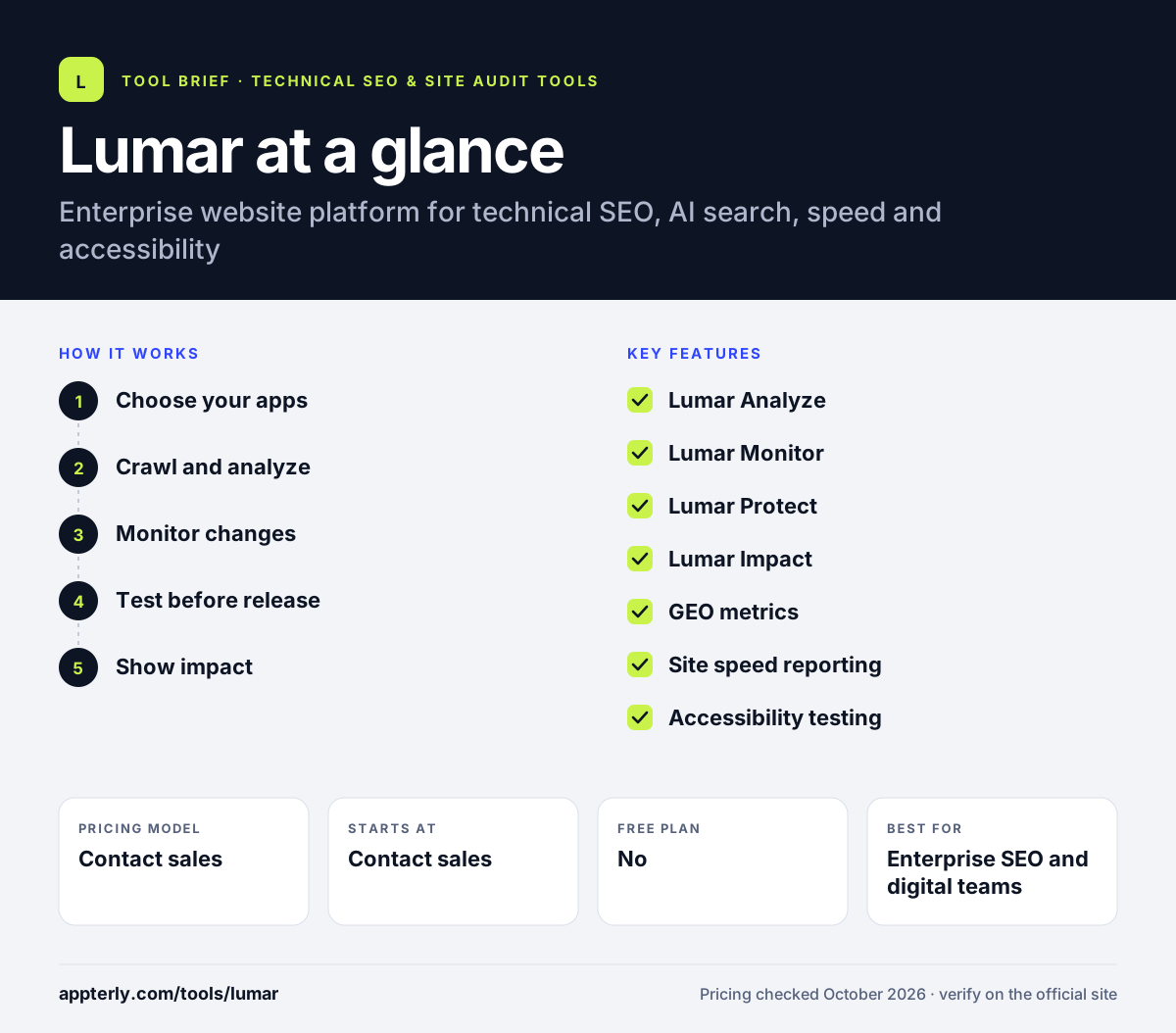
How does Lumar work?
- Choose your apps
Request a quote and pick the apps and metric sets your team needs. Pricing depends on the mix of apps, metrics and services selected.
- Crawl and analyze
Analyze crawls the site and produces hundreds of reports on SEO, GEO, speed and accessibility. Custom extractions let you collect site-specific data during the crawl.
- Monitor changes
Monitor watches chosen domains or sections and alerts you when key metrics shift. Alerts help teams react quickly when a template change affects many pages.
- Test before release
Protect runs automated checks in the build pipeline and can stop a deploy that breaks SEO. Developers get warnings before a bad release goes live.
- Show impact
Impact prioritizes fixes by commercial value and benchmarks results against industry averages.
Lumar key features
Lumar Analyze
Large-scale crawling with hundreds of built-in technical SEO reports and custom extraction.
Lumar Monitor
Tracks trends and changes across multiple domains with configurable alerts.
Lumar Protect
Automated QA testing that integrates with CI/CD to catch issues before launch.
Lumar Impact
Links optimization work to business value and helps rank fixes.
GEO metrics
AI brand mention and sentiment tracking plus content and technical AI search checks.
Site speed reporting
Lighthouse reports at scale and origin-level CrUX field data.
Accessibility testing
Checks against WCAG 2.2 levels A to AAA with suggested fixes.
Why use Lumar?
- One crawl feeds SEO, AI search, speed and accessibility reports.
- Protect catches SEO regressions before code reaches production.
- Accessibility checks help with compliance needs such as the ADA and European Accessibility Act.
- Impact helps SEO teams make the business case for engineering work.
- SOC 2 Type 2 certification eases security reviews in large companies.
Who is Lumar best for?
A good fit for
- Enterprise SEO and digital teams
- Large ecommerce and publishing websites
- Agencies serving enterprise clients
- Engineering teams that want SEO checks in CI/CD
Less suited to
- Small businesses and solo site owners
- Buyers who want published self-serve pricing
- Teams that only need a quick one-off audit
Lumar pricing
| Pricing model | Contact sales |
|---|---|
| Free plan | No |
| Free trial | Not confirmed |
| Starting price | Contact sales |
Lumar does not publish prices. You choose the apps, metrics and services you need and request a quote, and a demo is offered instead of a self-serve trial.
Prices checked October 2026. Vendors change plans often, so confirm on the official Lumar pricing page before you buy.
Lumar pros and cons
Pros
- Covers SEO, AI search, speed and accessibility in one platform
- Pre-release testing with Protect
- Built for very large sites and teams
- Strong security credentials
Cons
- Quote-only pricing
- Too heavy for small sites
- No self-serve free trial listed
Lumar integrations and platforms
Works with
Available on
Lumar alternatives
See the full shortlist in Best Technical SEO Tools.
Lumar FAQ
Is Lumar the same as Deepcrawl?
Yes. Lumar launched in 2010 under the name Deepcrawl and changed its name to Lumar in 2022. The crawler at the core of the product continued, and the platform has since grown into separate apps for analysis, monitoring, pre-release testing and business impact, plus AI search and accessibility reporting.
How much does Lumar cost?
Lumar does not list prices on its website. Pricing is flexible and based on the apps, metrics and services you choose, so you fill in a form to get a quote. Because it targets enterprise teams, expect pricing well above desktop crawlers like Screaming Frog.
What is Lumar used for?
Lumar is used by large organizations to crawl and monitor their websites for technical SEO issues, AI search visibility, site speed and accessibility problems. Teams use it to find and prioritize fixes, test releases before launch, and report the value of website improvements to leadership. An AI tool can also help write developer tickets for each fix.
Lumar vs Botify: what's the difference?
Both are enterprise SEO platforms built on cloud crawling. Lumar stands out for pre-release QA testing, accessibility reporting and its Impact app for business cases. Botify focuses more on AI search activation, with tools that deploy on-page changes, manage bots and push product feeds. Both require a sales conversation rather than self-serve signup.
Does Lumar check website accessibility?
Yes. Lumar includes web accessibility testing against WCAG 2.2 at levels A, AA and AAA. It suggests fixes and supports work toward rules such as the ADA and the European Accessibility Act, using the same crawl that powers its SEO reports. This lets one platform support both SEO and compliance teams.
Sources
This overview is based on Lumar's official website and documentation, checked October 2026.