What is Clearout?
Clearout is an email verification and prospecting platform that checks whether email addresses can receive mail and helps find new business contacts. It validates addresses one by one, in bulk or through an API, and includes catch-all verification for domains that accept every address. It also finds work emails from a person's name and company, which makes it useful for both list cleaning and lead generation.
Clearout extends into data quality more broadly. Form Guard checks emails, phone numbers and names on web forms in real time, ClearoutPhone validates phone numbers worldwide, and Data Pulse monitors CRM contacts over time. The platform offers a Chrome extension for LinkedIn prospecting, a Google Sheets add-on, a WordPress plugin, and a REST API with webhooks and an MCP server.
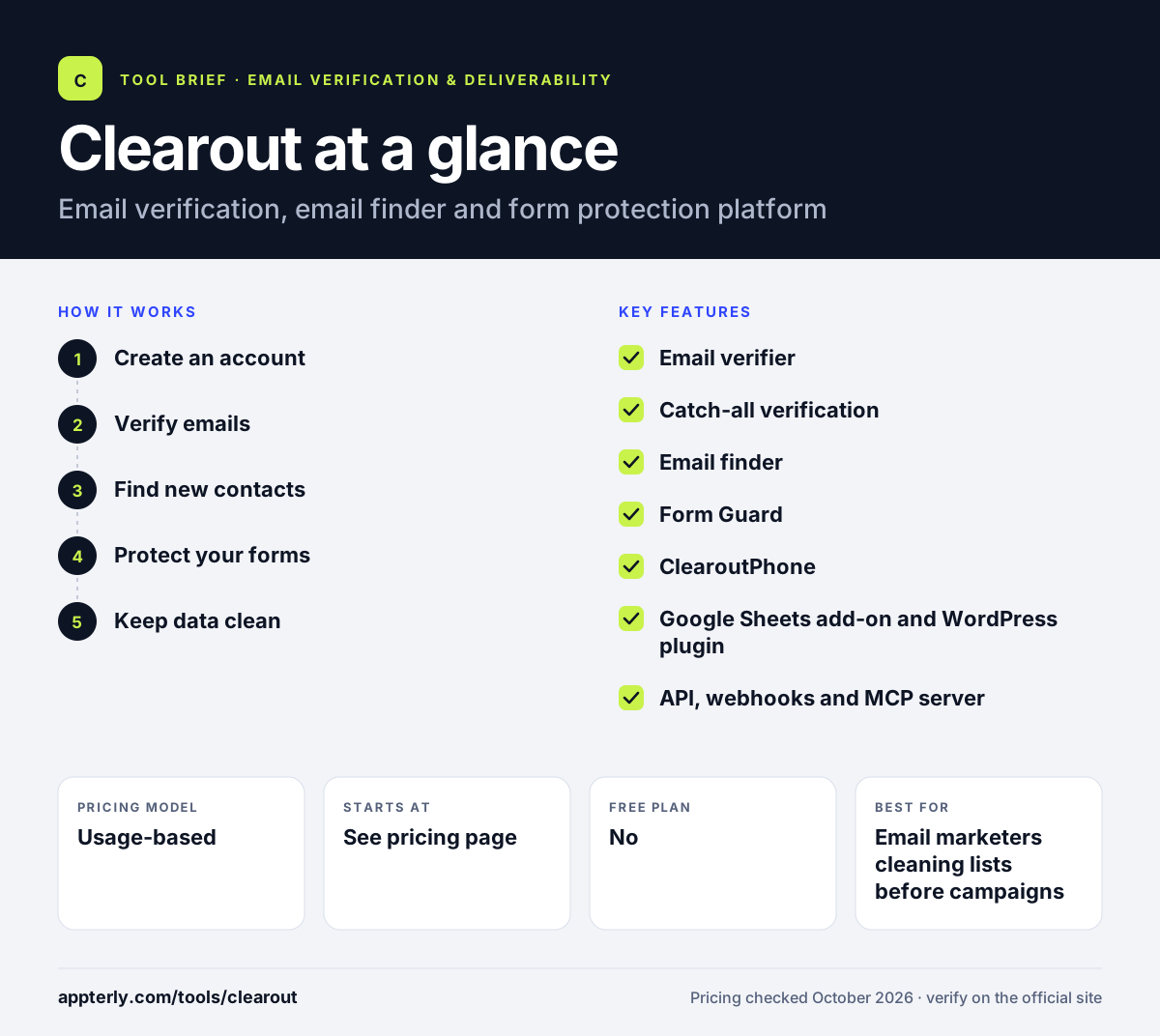
Clearout at a glance
How does Clearout work?
- Create an account
Sign up without a card and receive 100 free credits to test verification and finding.
- Verify emails
Check single addresses, upload a list for bulk cleaning, or call the API from your own app.
- Find new contacts
Use the Email Finder with a name and company or domain, or the Chrome extension on LinkedIn.
- Protect your forms
Add Form Guard or the WordPress plugin so invalid entries are blocked as they come in.
- Keep data clean
Connect HubSpot, Mailchimp or ActiveCampaign and verify contacts where they already live.
Clearout key features
Email verifier
Validates addresses individually, in bulk or by API, with clear status results.
Catch-all verification
Resolves catch-all and gateway-protected addresses into valid or invalid where possible.
Email finder
Finds business emails from a name plus company or domain, one at a time or in bulk.
Form Guard
Real-time checks on form submissions to block fake emails, phones and names.
ClearoutPhone
Validates phone numbers in more than 240 countries.
Google Sheets add-on and WordPress plugin
Verify emails inside spreadsheets or on WordPress forms without custom code.
API, webhooks and MCP server
Developer tools for building verification into apps and AI assistants.
Why use Clearout?
- It combines verification and email finding, so one tool covers list cleaning and prospecting.
- Credits roll over and never expire, which suits irregular usage.
- Form protection stops bad data at the point of entry.
- Native add-ons for Google Sheets and WordPress make it easy for non-developers.
- Integrations with HubSpot, Mailchimp and ActiveCampaign keep CRM and email lists clean.
Who is Clearout best for?
A good fit for
- Email marketers cleaning lists before campaigns
- Sales teams finding and verifying prospect emails
- WordPress site owners who want cleaner form leads
- Teams that work with lead lists in Google Sheets
Less suited to
- Users looking for a tool that sends email campaigns
- Buyers who want to see exact prices before signing up
- Teams needing a large built-in B2B contact database
Clearout pricing
| Pricing model | Usage-based |
|---|---|
| Free plan | No |
| Free trial | 100 free credits |
| Starting price | See the official pricing page |
Clearout sells credits as one-time pay-as-you-go packs or as monthly and annual subscriptions, with subscriptions discounted up to 20%. Credits never expire, and exact prices were not shown on the pricing page text when checked.
Prices checked October 2026. Vendors change plans often, so confirm on the official Clearout pricing page before you buy.
Clearout pros and cons
Pros
- Verification, finding and form protection in one account
- Credits never expire
- Handy Google Sheets add-on and WordPress plugin
- Phone validation available alongside email
Cons
- Prices are not clearly listed in the pricing page text
- No refunds on partial subscription periods
- Not a sending or campaign tool
Clearout integrations and platforms
Works with
Available on
Clearout alternatives
See the full shortlist in Best Email Verification Tools.
Clearout FAQ
Is Clearout free?
Clearout gives every new account 100 free credits, and no card is needed to start. That lets you test email verification and the email finder. After that, you buy credits as a one-time pack or through a monthly or annual subscription. Unused credits roll over and never expire.
What is Clearout used for?
Clearout is used to verify email addresses, find business emails and block bad form submissions. Marketers clean lists before sending, sales teams find and check prospect emails, and site owners use Form Guard or the WordPress plugin to stop fake signups. It also validates phone numbers in many countries.
Clearout vs NeverBounce: what's the difference?
Clearout and NeverBounce both verify emails in bulk and through an API. Clearout adds an email finder, a LinkedIn Chrome extension, form protection and phone validation, so it covers prospecting as well as hygiene. NeverBounce is more focused on list cleaning and syncing with email platforms. Compare credit prices at your volume before choosing.
Does Clearout integrate with HubSpot?
Yes. Clearout integrates with HubSpot, Mailchimp and ActiveCampaign, so you can verify contacts stored in those tools. It also offers a Google Sheets add-on, a WordPress plugin and a Zapier integration, plus a REST API and webhooks for custom connections.
Do Clearout credits expire?
No. Clearout credits do not expire and do not reset each month. Unused credits from subscriptions roll over, and one-time purchases stay in your account until you use them. This makes Clearout practical for teams that verify lists irregularly rather than on a fixed schedule.
Sources
This overview is based on Clearout's official website and documentation, checked October 2026.