What is Buzzsprout?
Buzzsprout is a podcast hosting platform that stores your episodes, creates your RSS feed and sends your show to Apple Podcasts, Spotify, YouTube, Amazon Music and other directories. It has been serving podcasters since 2009 and is known for a simple dashboard that suits first-time hosts, small businesses and marketers launching a branded show.
Every Buzzsprout plan includes IAB-certified statistics, a podcast website you can put on your own domain, and embeddable players. Paid plans add automatic transcripts, video publishing on the Audio + Video tier, and monetization through Buzzsprout Ads, paid subscriptions and listener support. Optional add-ons include Magic Mastering for audio polish and Cohost AI, which drafts titles, descriptions, chapters and social posts. iOS and Android apps let you manage your show on the go. Unused upload hours do not roll over, but going over the limit does not stop publishing.
Buzzsprout at a glance
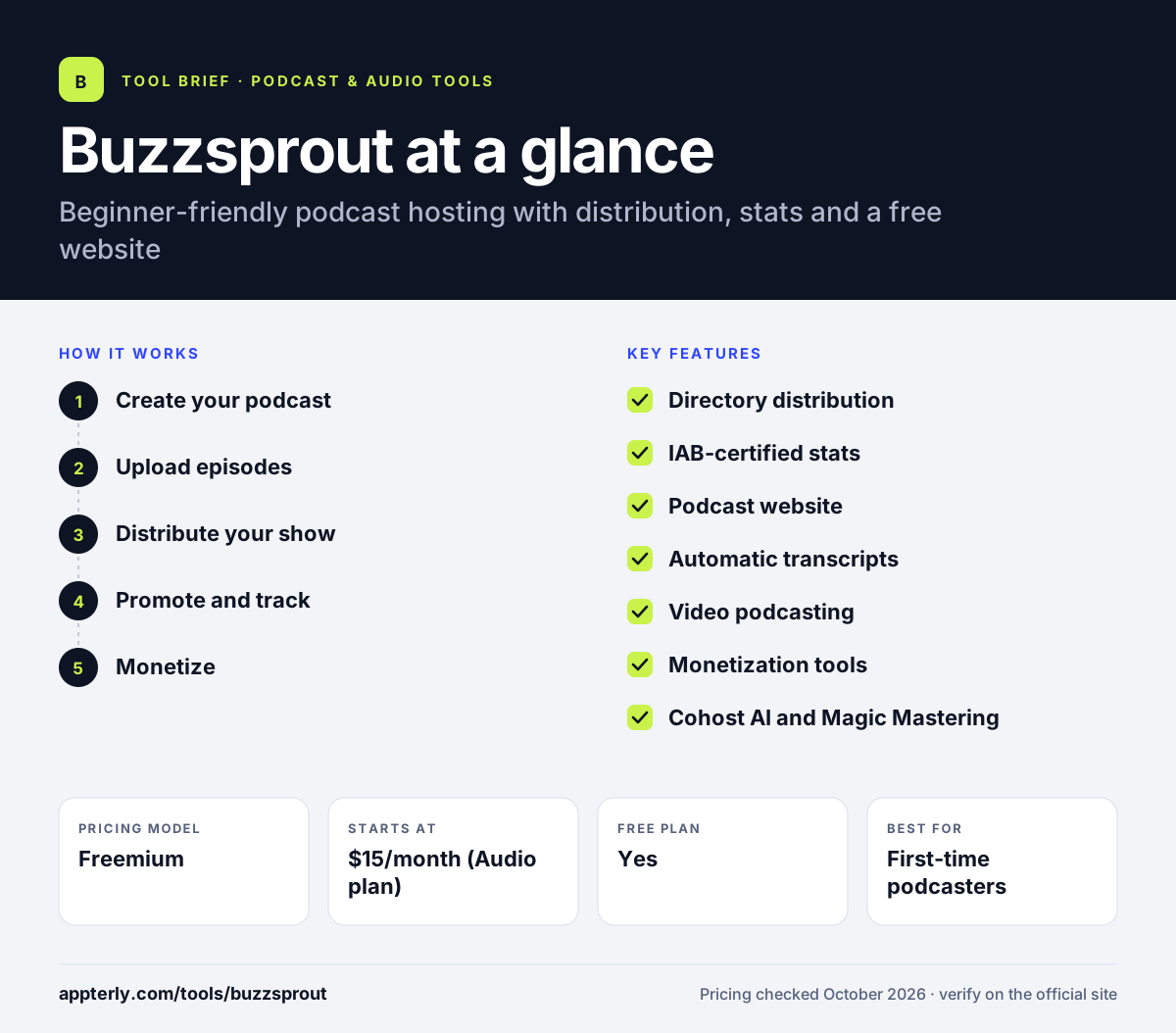
How does Buzzsprout work?
- Create your podcast
Sign up, add your show name, artwork and description, and pick a plan.
- Upload episodes
Upload audio or video, add show notes, chapters and transcripts, and schedule a release time.
- Distribute your show
Use guided submissions to list your podcast on Apple Podcasts, Spotify, YouTube and other directories.
- Promote and track
Share via your podcast website and players, then watch downloads, apps and locations in the stats dashboard.
- Monetize
Turn on ads, paid subscriptions or listener support once your show builds an audience.
Buzzsprout key features
Directory distribution
Guided listing on Apple Podcasts, Spotify, YouTube, Amazon Music, Overcast and more.
IAB-certified stats
Download analytics with bot filtering on every plan, including the free tier.
Podcast website
A search-friendly site with episodes, transcripts and app links that can use your own domain.
Automatic transcripts
Transcripts are created for new episodes on paid plans at no extra cost.
Video podcasting
The Audio + Video plan publishes 1080p video episodes to Apple Podcasts, Spotify and YouTube.
Monetization tools
Buzzsprout Ads, Dynamic Content, paid subscriptions and listener-supported payments.
Cohost AI and Magic Mastering
Optional add-ons for AI-written titles, descriptions and chapters, and automatic audio mastering.
Mobile apps and API
iOS and Android apps, a WordPress plugin and a public API.
Why use Buzzsprout?
- The setup is easy enough for someone launching their first podcast.
- Guided directory submissions save time on distribution.
- Built-in website and players reduce the need for extra tools.
- Going over upload hours does not stop publishing.
- A free plan lets you test the workflow before paying.
Who is Buzzsprout best for?
A good fit for
- First-time podcasters
- Small businesses launching a branded show
- Solo creators who want simple publishing and stats
- Creators who publish a mix of audio and video episodes
Less suited to
- Long-term use of the free plan, since free episodes are removed after 90 days
- High-volume shows that would exceed the yearly upload hours
- Large networks needing advanced team and enterprise controls
Buzzsprout pricing
| Pricing model | Freemium |
|---|---|
| Free plan | Yes |
| Free trial | Not confirmed |
| Starting price | $15/month (Audio plan) |
Audio is $15/month with 72 upload hours a year, Audio + Video is $25/month, and Multi-Podcast is $30/month for several shows. Extra upload time is billed at the plan's hourly rate, and Magic Mastering and Cohost AI are paid add-ons.
Prices checked October 2026. Vendors change plans often, so confirm on the official Buzzsprout pricing page before you buy.
Buzzsprout pros and cons
Pros
- Very easy for beginners
- Stats and website included on every plan
- Free automatic transcripts on paid plans
- Helpful add-ons for mastering and AI show notes
Cons
- Free plan deletes episodes after 90 days
- Upload limits are measured in hours, which can cost more for long shows
- Video publishing requires the higher Audio + Video plan
Buzzsprout integrations and platforms
Works with
Available on
Buzzsprout alternatives
See the full shortlist in Best Podcast Software.
Buzzsprout FAQ
Is Buzzsprout free?
Buzzsprout has a free plan with 2 hours of uploads per month, but episodes on the free plan are hosted for only 90 days and paid add-ons are not available. Paid plans start at $15 per month and keep your episodes online, with unlimited episodes, advanced stats and a premium website.
What is Buzzsprout used for?
Buzzsprout is used to host and publish podcasts. It stores your audio or video files, creates the RSS feed, lists your show on Apple Podcasts, Spotify, YouTube and other apps, and tracks downloads. It also provides a podcast website, transcripts and ways to earn money from ads and subscriptions. Buzzsprout has served podcasters since 2009.
Is Buzzsprout good for beginners?
Yes. Buzzsprout is widely seen as one of the easiest podcast hosts to learn. Its dashboard guides you through uploading episodes and submitting to directories, and it offers tutorials and mobile apps. Beginners can start on the free plan and move to a paid plan when they are ready to publish long term. Because overages are billed rather than blocked, a new show never goes offline for running over its hours.
Buzzsprout vs Captivate: what's the difference?
Buzzsprout prices plans by upload hours and focuses on simplicity, with add-ons like Magic Mastering and Cohost AI. Captivate prices by monthly downloads, includes unlimited podcasts and storage on every plan, and focuses on growth and marketing tools. Buzzsprout has a free plan, while Captivate offers a free trial instead. Both are solid choices, so the decision usually comes down to budget, number of shows and growth goals.
Does Buzzsprout support video podcasts?
Yes. The Buzzsprout Audio + Video plan, priced at $25 per month, publishes video episodes in up to 1080p to Apple Podcasts, Spotify and YouTube. The Multi-Podcast plan can also include video shows. The free and Audio plans are limited to audio episodes.
Sources
This overview is based on Buzzsprout's official website and documentation, checked October 2026.