What is Yoast SEO?
Yoast SEO is a WordPress SEO plugin that manages titles, meta descriptions, XML sitemaps, schema and breadcrumbs, and gives writers live SEO and readability feedback in the editor. It is one of the most widely installed SEO plugins and suits bloggers, small businesses and content teams who want guided optimization.
Yoast was founded in 2010 by Joost de Valk and is based in Wijchen, the Netherlands. The free plugin covers core on-page SEO. Yoast SEO Premium adds AI-generated titles and descriptions, internal linking suggestions, a redirect manager and access to Yoast Academy. Higher bundles add WooCommerce SEO and AI brand monitoring, and there is also a version for Shopify stores and a Google Docs add-on.
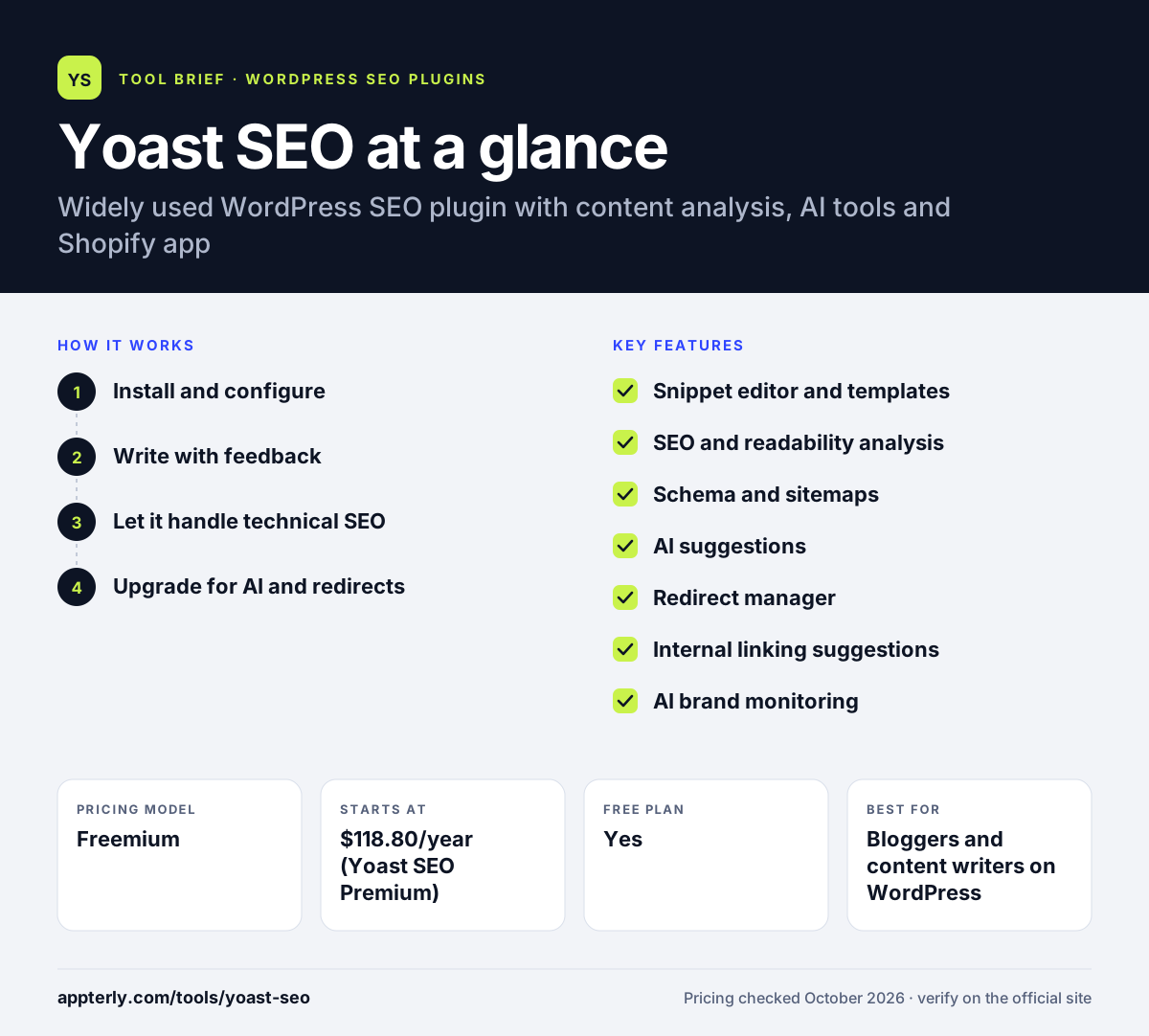
Yoast SEO at a glance
How does Yoast SEO work?
- Install and configure
Install the free plugin and run the first-time configuration to describe your site, organization and social profiles. This gives the plugin the details it needs for site-wide schema and social sharing.
- Write with feedback
Set a focus keyphrase and follow the SEO and readability checks shown in the editor sidebar. The checks update in real time as you edit, so you can see the effect of each change before publishing.
- Let it handle technical SEO
Yoast outputs schema, canonical URLs, XML sitemaps and breadcrumbs automatically.
- Upgrade for AI and redirects
Premium adds AI title and description suggestions, internal link suggestions and automatic redirects when you change URLs. Higher plans add WooCommerce product tools and AI brand monitoring across assistants.
Yoast SEO key features
Snippet editor and templates
Controls titles and meta descriptions with templates and a search preview.
SEO and readability analysis
Scores content against a focus keyphrase and checks sentence length, structure and flow.
Schema and sitemaps
Generates structured data and XML sitemaps without manual setup. Breadcrumbs, canonical URLs and robots settings are handled from the same plugin.
AI suggestions
Premium generates optimized titles and meta descriptions, and WooCommerce SEO adds AI product copy.
Redirect manager
Premium creates redirects when pages are moved or deleted.
Internal linking suggestions
Premium recommends related posts to link while you write.
AI brand monitoring
Yoast SEO AI+ tracks brand visibility across ChatGPT, Gemini, Perplexity and Claude.
Local, Video and News SEO
Premium bundles include modules for local business pages, video sitemaps and news publishers, plus a Google Docs add-on seat for writing outside WordPress.
Why use Yoast SEO?
- Writers get clear, color-coded feedback while drafting.
- The free version covers most technical SEO needs.
- A large user base means plenty of documentation and community help.
- Premium bundles add local, video and news SEO in one subscription.
- Versions exist for both WordPress and Shopify.
- The Google Docs add-on lets writers check SEO before content reaches WordPress.
Who is Yoast SEO best for?
A good fit for
- Bloggers and content writers on WordPress
- Small businesses managing their own SEO
- WooCommerce stores that want product SEO
- Teams that want training through Yoast Academy
Less suited to
- Users who find keyphrase scoring restrictive
- Budget users who need redirects free
- Developers seeking the lightest possible plugin
Yoast SEO pricing
| Pricing model | Freemium |
|---|---|
| Free plan | Yes |
| Free trial | Not confirmed |
| Starting price | $118.80/year (Yoast SEO Premium) |
Yoast WooCommerce SEO costs $178.80/year and Yoast SEO AI+ costs $358.80/year, both billed annually and excluding VAT. Yoast SEO for Shopify costs $19 per 30 days with a 14-day trial.
Prices checked October 2026. Vendors change plans often, so confirm on the official Yoast SEO pricing page before you buy.
Yoast SEO pros and cons
Pros
- Mature, well-documented plugin
- Helpful readability and SEO checks
- Strong free version
- AI tools included in Premium
Cons
- Premium costs more than several rivals
- Redirects and internal linking need a paid plan
- Keyphrase scores can encourage over-optimization
Yoast SEO integrations and platforms
Works with
Available on
Yoast SEO alternatives
See the full shortlist in Best WordPress SEO Plugins.
Yoast SEO FAQ
Is Yoast SEO free?
Yes. Yoast SEO has a free WordPress plugin that handles titles, meta descriptions, XML sitemaps, schema, breadcrumbs and SEO and readability analysis. Yoast SEO Premium costs $118.80 per year and adds AI suggestions, a redirect manager, internal linking suggestions and training. Prices shown exclude VAT.
What is Yoast SEO used for?
Yoast SEO is used to optimize WordPress websites for search engines. It sets up technical SEO automatically and helps writers improve each post with a focus keyphrase, readability checks and a search preview. Paid plans add AI writing help, redirects and WooCommerce product features.
Yoast SEO vs SEOPress: what's the difference?
Both are WordPress SEO plugins with free versions. Yoast SEO is the longer-established option, with strong readability analysis, training through Yoast Academy and AI tools in Premium. SEOPress offers cheaper PRO licenses that include redirects, schemas and white labeling. Yoast suits guided writing, while SEOPress suits budget-minded agencies.
Does Yoast SEO work with Shopify?
Yes. Yoast offers a separate Yoast SEO for Shopify app priced at $19 per 30 days with a 14-day free trial. It brings Yoast's content analysis and SEO settings to Shopify stores. WordPress stores using WooCommerce can choose the Yoast WooCommerce SEO plan instead.
Is Yoast SEO good for beginners?
Yes. Yoast SEO is often recommended for beginners because its setup wizard and color-coded checks explain what to fix in plain language. The free version handles most technical SEO automatically, so new site owners can focus on writing good content while learning the basics.
Sources
This overview is based on Yoast SEO's official website and documentation, checked October 2026.