What is SocialBee?
SocialBee is a social media management tool that organizes posts into content categories, then publishes and recycles them on a repeating schedule. You might create categories for tips, promotions and blog posts, assign each a time slot, and let SocialBee fill the calendar. Its AI Copilot can suggest a strategy, recommend networks and write captions, images and hashtags.
SocialBee posts to Facebook, Instagram, Threads, LinkedIn, X, Pinterest, TikTok, YouTube, Google Business Profile and Bluesky, with universal posting through the mobile app for other networks. It also includes an engagement inbox, analytics with PDF reports, and agency plans with up to 150 profiles. SocialBee launched in 2016 and became part of WebPros in 2024.
SocialBee at a glance
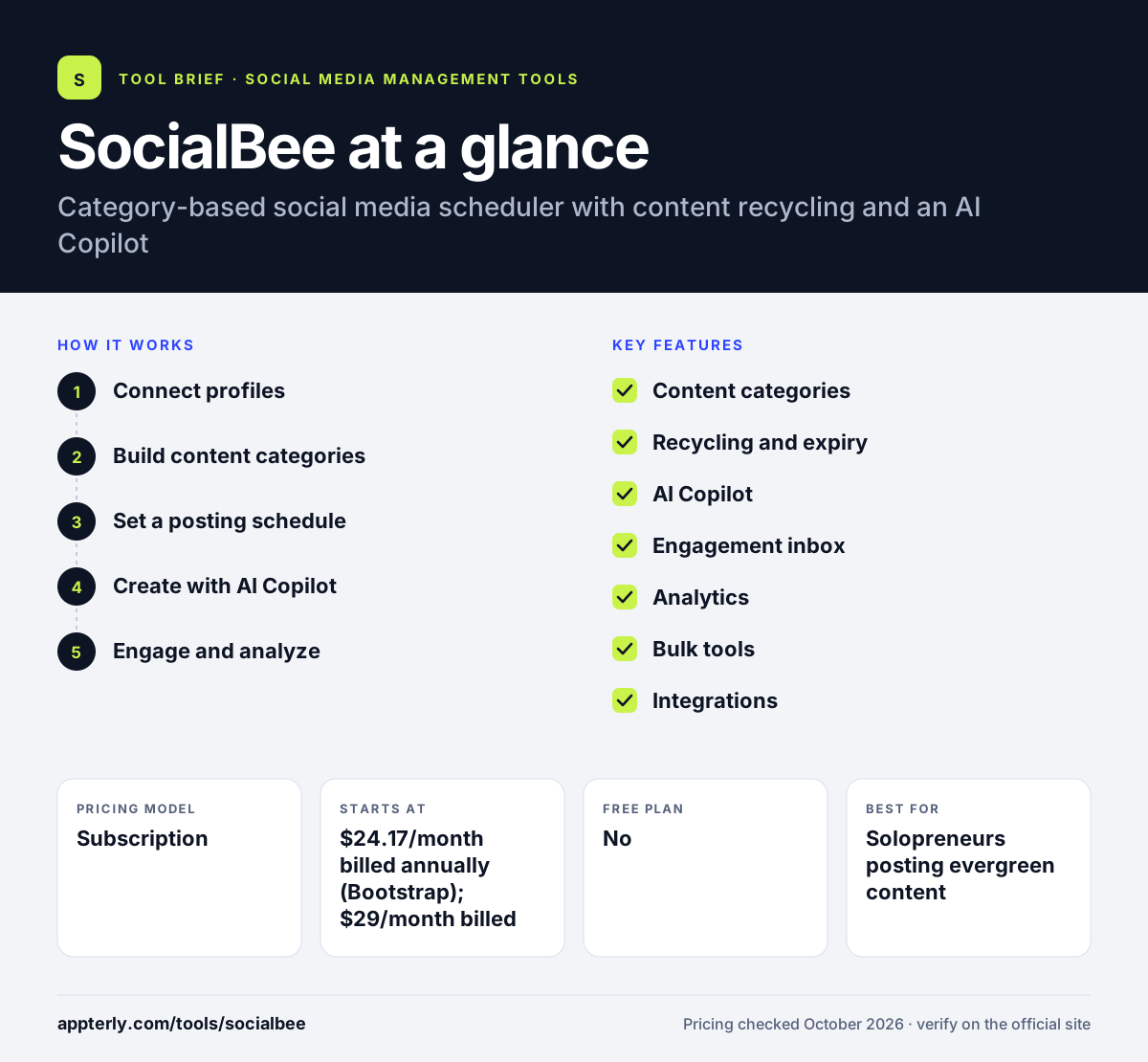
How does SocialBee work?
- Connect profiles
Link your social accounts and set up a workspace for each brand. Pro allows up to 5 workspaces for different brands.
- Build content categories
Group posts by theme and decide whether each category recycles or expires. Evergreen posts can repeat, while promotions can expire on a date.
- Set a posting schedule
Assign categories to time slots so the calendar fills automatically. Each category can have its own posting days and times.
- Create with AI Copilot
Generate captions, images and hashtags and adapt them for each network. AI Copilot can also recommend which networks to focus on.
- Engage and analyze
Reply to comments and messages in the inbox and export performance reports. DMs are supported for Facebook and Instagram.
SocialBee key features
Content categories
Organize posts by theme, with 10, 50 or unlimited categories by plan. Each category can hold up to 5,000 posts on higher plans.
Recycling and expiry
Repeat evergreen posts automatically or set time-sensitive posts to expire. This keeps your feed active even when you are busy.
AI Copilot
Builds a strategy and generates posts, images and hashtags, with unlimited AI generation on all plans. Captions can be adapted to each network's style.
Engagement inbox
Handle comments, mentions and messages across major networks in one place. Comments and mentions are supported on Facebook, Instagram, Threads, LinkedIn, YouTube and X.
Analytics
Track results across platforms, with advanced analytics from Accelerate and branded report exports on Pro. Analytics history runs from 3 months to 2 years.
Bulk tools
Hashtag organizer, bulk editor and CSV uploads on Accelerate and above. A post approval system is also included from Accelerate.
Integrations
Connects to Canva, Unsplash, GIPHY, Zapier, Make and Pabbly.
Universal posting
The mobile app helps you post to networks without direct integration, such as WhatsApp, Telegram and Mastodon.
Why use SocialBee?
- Category scheduling keeps your content mix balanced. A mix of tips, promotions and curated posts is easy to maintain.
- Recycling keeps feeds active without constant new posts.
- Unlimited AI generation is included on every plan.
- Agency plans scale to 150 profiles and 30 workspaces. Extra users and workspaces cost $10 per month each.
- A 30-day money-back guarantee reduces risk.
Who is SocialBee best for?
A good fit for
- Solopreneurs posting evergreen content
- Small businesses with a steady content mix
- Agencies managing many client profiles
- Coaches and consultants sharing tips regularly
Less suited to
- Teams needing approvals on the entry plan
- Brands that rely on social listening
- Users who want a free plan
SocialBee pricing
| Pricing model | Subscription |
|---|---|
| Free plan | No |
| Free trial | 14 days |
| Starting price | $24.17/month billed annually (Bootstrap); $29/month billed monthly |
Bootstrap covers 5 profiles and 1 user. Accelerate ($49/month) adds 10 profiles and approvals, and Pro ($99/month) adds 25 profiles and 3 users per workspace. Agency plans run from $179/month for 50 profiles.
Prices checked October 2026. Vendors change plans often, so confirm on the official SocialBee pricing page before you buy.
SocialBee pros and cons
Pros
- Strong category and recycling system
- Unlimited AI generation
- Clear pricing with agency tiers
- 30-day money-back guarantee
Cons
- No free plan
- Entry plan limited to one user
- Only 3 months of analytics history on Bootstrap
SocialBee integrations and platforms
Works with
Available on
SocialBee alternatives
See the full shortlist in Best Social Media Management Tools.
SocialBee FAQ
Is SocialBee free?
No. SocialBee does not have a free plan, but every plan includes a 14-day free trial with no credit card required. There is also a 30-day money-back guarantee. Paid plans start at $29 per month, or $24.17 per month billed annually, for Bootstrap. Annual billing gives about two months free.
What is SocialBee used for?
SocialBee is used to schedule and recycle social media posts organized into content categories. Small businesses and agencies use it to keep a steady mix of content across networks, generate posts with AI, reply to comments and messages, and export analytics reports. It also supports RSS feeds as content sources.
Who owns SocialBee?
SocialBee is operated by SocialBee LABS SRL and became part of WebPros in August 2024. WebPros is the software group behind several web hosting and server management products. SocialBee continues to run under its own name. The co-founders launched the product in June 2016.
SocialBee vs Buffer: what's the difference?
Buffer is a simple publishing tool with a free plan. SocialBee has no free plan but adds content categories, automatic recycling and unlimited AI generation. SocialBee suits users who want a set-and-repeat posting system, while Buffer suits those who post fresh content manually.
Does SocialBee integrate with Canva?
Yes. SocialBee integrates with Canva, Unsplash and GIPHY for visuals, Quu for content curation, and Zapier, Make and Pabbly for automation. It also supports more than 10 URL shorteners. Engagement covers comments and DMs across major networks.
Sources
This overview is based on SocialBee's official website and documentation, checked October 2026.